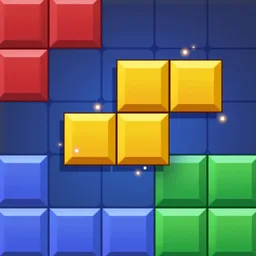
Block Tok: A Free Block Puzzle Game Reviewed
by NewPubCo, Inc · Block Puzzle · iOS
Block Tok is a free block puzzle app from NewPubCo, Inc, rated 4.5 on the App Store from 285 ratings. You drag pieces onto a grid and clear lines or squares, and the Block Tok game is often compared to Block Blast!. Players praise how smooth it feels, but reports about ads and freezing are mixed.
iPhone & iPad
- Rating
- ★ 4.5 (287 ratings)
- Price
- Free
- Size
- 250.2 MB
- Requires
- iOS 15.0+
- Languages
- 8
- Last updated
- 2026-08-28
- Version
- 00.39.09
Rating history (2026-11-03 → 2026-11-14): 4.52 → 4.52 → 4.52 → 4.52 → 4.52 → 4.52 → 4.52 → 4.52 → 4.52 → 4.52 → 4.52 → 4.52
Pros
- Free to download, with a 4.5 App Store rating from 285 ratings
- Easy drag-and-drop play that suits all ages
- Many reviewers describe the block movement as smoother than similar games
- Works as a quick daily session of a round or two
- Supports 8 languages
Cons
- Several reviewers report freezes or crashes, sometimes during high-score runs
- Ads reportedly appear after every game once the first few rounds pass
- No revive option when the board fills up, according to one player
- Some players find the block movement takes getting used to
What players say
Players like
- Smooth, responsive block dragging that several players prefer to Block Blast!
- Challenging but relaxing rounds that are easy to pick up daily
- Many early sessions feeling ad-free
Common complaints
- Freezes, lockups and a blank puzzle with no pieces for some players
- Ads that grow more frequent, including upgrade prompts that are hard to dismiss
- No way to revive after running out of room
How Block Tok plays
Block Tok: Puzzle Game is a block puzzle built around a simple loop. You drag pieces from the tray onto a grid, then fill complete lines or full squares to clear them and score points. Rounds end when the board has no room left, so the goal is to stretch each run as far as possible and beat your high score.
The brief for the app mentions multiple modes and offline play, but the clearest picture comes from players. Many describe it as challenging yet relaxing, and some say they limit themselves to a couple of rounds a day. One reviewer who usually gets bored of similar games said this one held their attention. If you have played Block Blast! or Blockudoku, the idea will feel familiar within a minute.
The app is a 250.2 MB download. It was first released on April 11, 2024, and the latest iPhone update we have is from August 28, 2026 (version 00.39.09). It needs iOS 15.0 or later and supports 8 languages.
The Block Tok game versus Block Blast!
Comparisons to Block Blast! come up often. A few players say they installed Block Tok after seeing an ad inside Block Blast! and ended up preferring it, mainly because of the movement. Others disagree: one reviewer calls it a good game but says it is not much like Block Blast! and would recommend the original. Another admits the block movement felt odd at first but expects to get used to it.
What players say
The App Store rating is 4.5 from 285 ratings, and the written reviews split into two clear camps.
What players enjoy
- Smooth dragging and placement, mentioned by several players who compared it favorably with Block Blast!
- A challenging but calming loop that is easy to return to daily
- A fresh feel compared with other block games, described by one player as the most fun “knockoff” they have tried
What frustrates players
- Freezes and lockups. One reviewer says their iPhone becomes unresponsive for about 15 seconds before returning to the lock screen. Another says the game locks up often, especially when they are close to a high score. A third reports the game opening to a puzzle with no pieces.
- No revive. A player who otherwise enjoys the game notes you cannot revive after the board fills up.
- Forced updates and upgrade prompts. One reviewer complains about being pushed toward a newer game, and another says they cannot dismiss upgrade ads.
These stability complaints are the biggest risk. They do not appear in every review, but they are serious enough that some players call the app unplayable.
Ads and in-app purchases
Block Tok costs $0 to download. The brief gives no in-app purchase details, so we cannot say what is sold inside the app.
Ads are where reviews disagree most. Several five-star reviewers praise the lack of ads, and some of them say there were none at all. Other players report that the first few games are ad-free, then ads appear after every game. Two reviewers specifically mention ads between games, and one says an ad promoting an upgrade could not be closed. A fair summary: expect a clean start, then plan for ads to show up as you keep playing.
iPhone vs Android
Our data covers the iPhone version only. It is rated 4.5 on the App Store, requires iOS 15.0 or later, and is free. We do not have Android store data for Block Tok, so we cannot compare ratings, size or ad behavior between platforms. If you are on Android, check the Google Play listing for current ratings and reviews before installing.
If you want to try the style of game first, you can also play block puzzle games free in the browser on 1990s.games. For other mobile options, Blockudoku - Block Puzzle Game, Woodoku - Wood Block Puzzles and Block Puzzle - Brain Test Game are similar apps to compare against Block Tok.
Best for: Players who enjoy Block Blast!-style puzzles on iPhone and want a free, easy-to-learn alternative, as long as they can tolerate occasional ads and possible freezes.
FAQ
Is Block Tok free?
Yes. Block Tok: Puzzle Game costs $0 to download on the App Store. Some reviewers report ads between games, so it is free but not entirely ad-free in practice.
How do you play Block Tok?
You drag blocks onto a grid and complete lines or full squares to clear space and score points. The aim is to keep going as long as you can and beat your own high score.
Is Block Tok like Block Blast!?
They share the same core idea, and several reviewers found Block Tok through Block Blast! ads. Opinions differ: some call Block Tok smoother and better, while one player says it doesn't feel much like Block Blast! and prefers the original.
Can I play a similar game without installing an app?
Yes. Classic block puzzle games can also be played free in the browser on 1990s.games, with no download needed.
Games like Block-Tok: Puzzle Game
1990s.games is not affiliated with NewPubCo, Inc. App names, icons and trademarks belong to their owners; data from the App Store and Google Play, updated weekly. Developer of this app? Email [email protected] to correct or update this page.