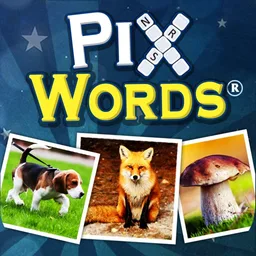
PixWords: A Picture Crossword Game Reviewed
by Dekovir, Inc. · Crossword · iOS
PixWords is a crossword puzzle where every answer is hidden in a picture, and each solved word reveals a letter in the rest of the grid. The PixWords app holds a 4.6 rating on the App Store from 600 ratings and is free to download.
iPhone & iPad
- Rating
- ★ 4.6 (600 ratings)
- Price
- Free
- Size
- 59.2 MB
- Requires
- iOS 15.6+
- Languages
- 43
- Last updated
- 2026-04-09
- Version
- 2.47
Rating history (2026-11-03 → 2026-11-14): 4.56 → 4.56 → 4.56 → 4.56 → 4.56 → 4.56 → 4.56 → 4.56 → 4.56 → 4.56 → 4.56 → 4.56
Pros
- Free to download on iPhone, rated 4.6 from 600 ratings
- Picture-based clues make it different from a standard crossword
- Difficulty climbs as you progress, which players find stimulating
- Available in 43 languages on the App Store listing
- Solving one word opens letters in others, so you rarely get fully stuck
Cons
- Players say hints cost a lot of coins and coins are slow to earn
- Some US edition words are obscure, pushing players to spend coins on long answers
- A few players report the app freezing and needing a reload
- One reviewer preferred the older artwork to the updated pictures
What players say
Players like
- The difficulty ramps up gradually, which keeps the puzzles challenging and interesting
- Many describe it as addictive and good for keeping the mind sharp
- The picture-and-crossword combination feels fresh and fun
Common complaints
- Hints are expensive and coins are hard to earn
- Some answers in the US edition are unfamiliar, long words that are hard to solve without hints
- Occasional freezing and a dislike of the updated artwork
How PixWords plays
PixWords turns the crossword on its head. Instead of reading a written clue, you look at a picture and work out the word it represents. Each answer sits in a crossword-style grid, and every time you solve one, a letter opens up in the words that cross it. That gradual unraveling means a tough word often becomes easier once its neighbors are filled in.
The PixWords game has been on the App Store since May 2013, and the current iPhone build is version 2.47, updated on April 9, 2026. It needs iOS 15.6 or later and takes up about 59.2 MB. The listing supports 43 languages, so you can switch the puzzle language to something other than English if you want extra practice.
Who it suits
It fits people who like vocabulary puzzles but find plain clue-based crosswords dry. The pictures give you something to look at and guess from, which makes it friendlier for casual sessions. Players who want a steady climb in difficulty will find it here, since reviewers repeatedly say the levels get harder as they go.
What players say
The iPhone rating is 4.6 across 600 ratings, and most of the reviews we looked at are five stars. The praise is consistent: people call it addictive, stimulating and good for keeping the mind sharp. One player liked that it gets more difficult through the levels, which keeps it interesting rather than repetitive.
The complaints cluster around three things:
- Hint cost. A three-star reviewer says hints cost too much and money is hard to earn.
- Obscure words. Another player felt pushed to pay for hints because some US edition answers, including very long ones, weren’t familiar and didn’t show up even in an anagram tool. They said it seemed to get worse as they progressed.
- Stability and art. One reviewer reports the app freezing and needing repeated reloads, and another preferred the pictures from the original version over the updated ones.
Ads and in-app purchases
The download is free, listed at $0. The brief doesn’t give details on ad frequency or a list of purchase options, so we can’t say how many ads you will see. What the reviews do show is a coin economy: coins are spent on hints, and several players feel hints are priced high compared with how slowly coins arrive. If you hate paying for help, plan to rely on the crossing letters that open as you solve and on your own guesses before touching hints.
iPhone vs Android
The data we have for this page comes from the iPhone listing: a 4.6 rating from 600 ratings, version 2.47 and the 43-language support. We don’t have Android store figures such as rating, install count or size, so we can’t compare the two versions directly. If you play on Android, check the Google Play page for its current rating, size and update date before downloading.
Is PixWords worth installing?
For a free picture-based crossword with a long track record and a mostly happy player base, the PixWords app is an easy one to try. Go in knowing that hints are the pressure point, and that the difficulty rises enough that you’ll probably want them eventually. If you’d rather compare it with other options, similar picks include Words of Wonders: Crossword, CodyCross: Crossword Puzzles and Crosswords With Friends.
Best for: Players who enjoy picture-based word puzzles and like a steadily rising challenge, and who don't mind spending coins or time on hints.
FAQ
Is PixWords free?
Yes. The iPhone version is listed at $0. Players mention spending coins on hints, so expect an in-game currency system alongside the free download.
How does the PixWords game work?
Each answer is a word hidden in a picture. When you solve one word, a letter opens in the crossing words, so the whole puzzle gradually fills in.
What do players dislike about PixWords?
The most common complaint is hint pricing: hints cost many coins and coins are slow to earn. A few reviewers also mention freezing and unfamiliar words in the US edition.
Can I play PixWords online?
The brief only covers the mobile app, so we can't confirm a browser version. PixWords online play isn't something we can point you to here; the app is the version players review.
Games like PixWords® - Picture Crosswords
1990s.games is not affiliated with Dekovir, Inc.. App names, icons and trademarks belong to their owners; data from the App Store and Google Play, updated weekly. Developer of this app? Email [email protected] to correct or update this page.