
Mahjong Classic App Review: Is This Mahjong Classic App Worth Installing?
by Netviking AB · Mahjong · iOS
Mahjong Classic by Netviking AB is a free mahjong classic app for iPhone with a 4.5 rating from 5,840 ratings. Its standout feature is big, easy-to-tap tiles with hint, undo and shuffle tools. Recent reviews, though, complain about unsolvable boards, ads and pop-ups.
iPhone & iPad
- Rating
- ★ 4.5 (5.8K ratings)
- Price
- Free
- Size
- 26.6 MB
- Requires
- iOS 16.0+
- Languages
- 9
- Last updated
- 2025-11-03
- Version
- 1.9
Rating history (2026-11-03 → 2026-11-14): 4.48 → 4.48 → 4.48 → 4.48 → 4.48 → 4.48 → 4.48 → 4.48 → 4.48 → 4.48 → 4.48 → 4.48
Pros
- Free to download, with a 4.5 rating across 5,840 iPhone ratings
- Big tiles and large buttons make matching simple to tap
- Hint, undo and shuffle options are built in
- Small 26.6 MB download and available in 9 languages
- Some players call it relaxing, fun and addictive
Cons
- Many reviewers report boards that end with unmatched tiles and can't be won
- Ads and pop-ups for other mahjong games appear, with some players saying they show after every move
- Only a small number of layouts are available, and the rest are locked behind purchase
- Tile designs and brown colors are hard to read for some players
What players say
Players like
- The big tiles and large, simple buttons
- Hint, undo and shuffle tools that keep games moving
- The relaxing, easy-to-pick-up tile matching
- The free price for getting started
Common complaints
- Boards that can't be finished because the last tiles don't match
- Frequent ads and pop-ups promoting other games
- Only a couple of layouts free, with extra layouts behind a purchase
- Low-contrast tile art that is hard to read
Big tiles are the standout feature
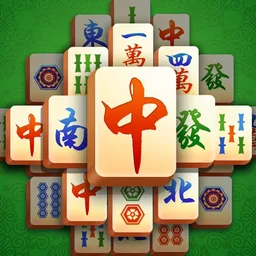
The first thing that sets this mahjong classic app apart is its size. Tiles are large, buttons are big, and the interface stays simple. You pick two matching tiles that aren’t covered, and they disappear. Hint, undo and shuffle options are there when you get stuck.
It’s also light. The iPhone download is 26.6 MB, it needs iOS 16.0 or later, and it supports 9 languages. The latest version listed is 1.9, updated on November 3, 2025. The app first launched in November 2016, so it has been around for a long time and has collected 5,840 ratings at an average of 4.5.
Some players say it’s fun, addictive and relaxing, and that’s the sweet spot: quick, low-pressure tile matching. If you only want something easy to tap on a small screen, the big pieces help.
The brief for this app lists an iPhone version only, so there is no Android information to compare. If you’d rather try the style first, the game can also be played free in the browser on 1990s.games.
Where it falls short
The 4.5 average hides a lot of unhappy written reviews. The most common complaint is boards that can’t be finished. Players describe reaching the last tiles and finding pieces with no match, even after several shuffles. One player said a dozen tiles remained and ten of them had no possible match. Several said it used to work and then got worse, and a few said they were ready to delete the app.
Ads are the second problem. Some reviewers describe a pop-up for another mahjong game when the app opens, with no visible way to close it. Others say ads appear after every single move rather than after every game. That would make the tile-matching rhythm hard to enjoy.
Content is limited too. Players mention only two starter layouts, and one asks whether the app really has just 8 boards. Extra layouts are sold separately. One buyer who unlocked all 8 said they only got the starter 2 back after moving to a new phone. Another said they paid and still got only 6 tiles to play.
Finally, readability is a recurring theme. A few reviewers found the brown tiles and symbols low in contrast and hard to tell apart, which matters on a phone screen.
Who should pick an alternative
Skip this one if you want a guaranteed-solvable board, a larger set of free layouts, or an ad-light session. The same goes if you already play real Mah Jongg and want to learn tiles: one reviewer felt this puzzle didn’t help with that.
The similar apps in our brief are Vita Mahjong, Mahjong Blast, Mahjong Club - Solitaire Game, Mahjong City Tours: Tile Match, Mahjong Titan and Vigor Mahjong. Check their store pages for ads and layout counts before you commit.
Quick verdict
Mahjong Classic is a free, light tile matcher with large, tappable pieces. It suits casual players who don’t mind ads. If unwinnable boards or pop-ups would ruin your evening, try an alternative first.
Best for: Casual players who want a simple, free tile-matching mahjong solitaire on iPhone and can tolerate ads and the occasional unwinnable board.
FAQ
Is Mahjong Classic free?
Yes. The iPhone version is free to download (price $0). Reviewers mention ads and extra layouts that can be bought, so expect some interruptions.
How is Mahjong Classic rated?
It holds a 4.5 rating from 5,840 ratings on the App Store. The written reviews we looked at are more mixed, with the main complaints about unwinnable boards and ads.
Is this real mahjong?
No. It is a one-player tile-matching game where you remove pairs of identical tiles. One reviewer who plays real Mah Jongg with a group said it didn't help them practice, so look elsewhere for the actual four-player game.
What are the alternatives to Mahjong Classic?
Similar apps include Vita Mahjong, Mahjong Blast, Mahjong Club - Solitaire Game, Mahjong City Tours: Tile Match, Mahjong Titan and Vigor Mahjong.
Games like Mahjong Classic·
1990s.games is not affiliated with Netviking AB. App names, icons and trademarks belong to their owners; data from the App Store and Google Play, updated weekly. Developer of this app? Email [email protected] to correct or update this page.