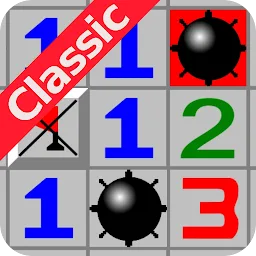
The Minesweeper Classic Plus app is a free Android take on the Windows original, holding a 4.5 rating across 10,041 ratings. It runs offline, shows ads, and sticks closely to the familiar rules, so it suits players who want the old feel without extras.
Android
- Rating
- ★ 4.5 (10K ratings)
- Price
- Free
- Installs
- 100K+
- Ads
- Contains ads
- In-app purchases
- No
- Last updated
- 2025-12-30
- Version
- 1.2.2
Rating history (2026-11-03 → 2026-11-14): 4.54 → 4.54 → 4.54 → 4.54 → 4.54 → 4.54 → 4.54 → 4.54 → 4.54 → 4.54 → 4.54 → 4.54
Pros
- Strong 4.5 rating from 10,041 ratings on Google Play
- Feels like the classic Windows Minesweeper, according to many reviewers
- Works offline, handy for commutes and flights
- Free to download with no in-app purchases
- Adjustable mine density and zoomable board
Cons
- Contains ads, and some reviewers say they appeared after an update
- Grid size is set with a slider rather than a difficulty menu
- Some boards force a pure 50/50 guess
- The reset confirmation prompt reappears after reopening the app
What players say
Players like
- Faithful recreation of the classic Windows game
- Small, unobtrusive ad strip and offline play
- Fun sound effects and quick sessions
- Challenging boards that make you think
Common complaints
- Ads that some say arrived after earlier ad-free versions
- Slider for grid size instead of a difficulty list
- Reset confirmation that keeps coming back
- Board filling the whole screen
What the numbers say
Start with the Google Play figures. The Minesweeper Classic Plus app sits at a 4.5 rating from 10,041 ratings, which is a solid score for a game this simple. It has 100,000+ installs, so it’s popular without being a chart-topper, and that scale makes the rating more trustworthy than a handful of five-star votes.
The app was released on November 11, 2017, and version 1.2.2 was updated on December 30, 2025. Nearly nine years on the store with a recent update suggests a developer, Dev Null, who hasn’t walked away. For a puzzle that never changes its rules, steady upkeep matters more than flashy new content.
It costs nothing and has no in-app purchases. The trade-off is that it contains ads, which comes up often in reviews.
How it plays
The rules match the version many of us grew up with. Tap a cell to reveal it, long-press to place a flag, and use the numbers to work out where the mines hide. The first tap is always safe, and tapping an opened number can reveal possible mines as a hint.
You can change the mine percentage and zoom the board, so you’re not locked to a few preset sizes. Reviewers like that it behaves like the Windows desktop game, with one calling it a spitting image of the classic and another saying it makes you use your head. Sound effects get a mention too, and at least one player simply enjoys them.
There are small friction points. One reviewer prefers a difficulty drop-down to the grid-size slider. Another finds the board takes over the whole screen. A third says it’s a bit too easy to land in a pure two-tile guess, which is a classic Minesweeper trait but still frustrating. The reset confirmation also returns after you reopen the app, even after you’ve asked it to stop.
Ads and offline play
Ads divide opinion. Many players call the strip small and not overly intrusive, and one praises the lack of random ads during gameplay. Others describe it as free with lots of ads, and one long-time user said ads appeared after an update, which cost the app stars. Expect a banner-style presence rather than an ad-free experience.
Offline play is a clear plus. Players say it works without a connection, which makes it easy to open for a few minutes on a commute. One reviewer called it a fast, easy way to kill a little time without getting too distracted.
Android, iPhone and the browser
The data we have covers the Android version on Google Play. If you use an iPhone, look for another classic Minesweeper on the App Store instead. You can also play Minesweeper free in the browser on 1990s.games, which works on any device. Similar Android alternatives include Minesweeper Classic: Retro, Minesweeper - The Clean One and Minesweeper GO - classic game.
Verdict
The Minesweeper Classic Plus app earns its 4.5 rating by doing one thing faithfully: classic Minesweeper, offline, for free. It suits Android players who want the old Windows feel, adjustable mine density and short sessions, and who can live with a small ad strip. If you want zero ads or a polished difficulty menu, try one of the alternatives. For everyone else, it’s an easy download.
Best for: Android players who want a no-frills, faithful Minesweeper they can play offline and don't mind a small ad strip.
FAQ
Is Minesweeper Classic Plus free?
Yes. It costs nothing on Google Play and has no in-app purchases, but it does contain ads. Reviewers mostly describe them as a small strip rather than full-screen interruptions, though a few were annoyed when ads showed up after an update.
Can I play Minesweeper Classic Plus offline?
Yes. Players specifically mention that it works offline, and the developer lists offline play as a feature.
Is Minesweeper Classic Plus available on iPhone?
The brief only covers the Android version from Dev Null, which is on Google Play. If you're on iPhone, check the App Store for similar classic Minesweeper apps, or try the free browser version on 1990s.games.
How active is development?
The latest version, 1.2.2, was updated on December 30, 2025. The app first launched on November 11, 2017, so it has had a long run of support.
Games like Minesweeper Classic Plus




1990s.games is not affiliated with Dev Null. App names, icons and trademarks belong to their owners; data from the App Store and Google Play, updated weekly. Developer of this app? Email [email protected] to correct or update this page.