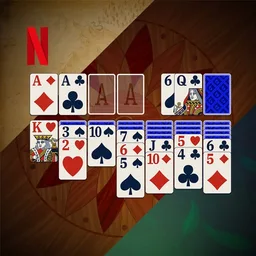
Classic Solitaire Netflix App Review: Ad-Free Klondike on iPhone and Android
by Netflix, Inc. · Solitaire · iOS, Android
The classic solitaire Netflix app is a free Klondike game from Netflix, Inc. that carries no ads and no in-app purchases on Android. It holds a 4.8 rating on iPhone and 4.4 on Android, with players praising the clean play and complaining about crashes, event pop-ups and a weak offline mode.
iPhone & iPad
- Rating
- ★ 4.8 (69.3K ratings)
- Price
- Free
- Size
- 470.7 MB
- Requires
- iOS 17.0+
- Languages
- 17
- Last updated
- 2026-10-15
- Version
- 1.4.0
Android
- Rating
- ★ 4.4 (26.2K ratings)
- Price
- Free
- Installs
- 1M+
- Ads
- No ads listed
- In-app purchases
- No
- Last updated
- 2026-10-10
- Version
- 1.4.0.527
Rating history (2026-11-03 → 2026-11-14): 4.81 → 4.81 → 4.81 → 4.81 → 4.81 → 4.81 → 4.81 → 4.81 → 4.81 → 4.81 → 4.81 → 4.81
Pros
- No ads and no in-app purchases listed on Android, and iPhone players also praise the ad-free play
- Rated 4.8 from 69,173 ratings on iPhone and 4.4 from 26,130 on Android
- Customizable backgrounds, card backs and card faces
- Draw-1 or draw-3, Vegas or standard scoring, plus hints, undo and daily challenges
- Updated recently: iPhone on October 15, 2026 and Android on October 10, 2026
Cons
- Some players report crashes on launch or mid-game on both iPhone and Android
- Event pop-ups, goal animations and notification prompts interrupt the flow
- Offline play only works when the device is fully offline; a weak connection can trigger errors
- Several players report lost progress, streaks or history
What players say
Players like
- No ads, which players mention again and again on both stores
- Relaxing, straightforward Klondike with hints, auto-finish and easy personalization of backgrounds and cards
- A calming way to pass short stretches of free time or take the mind off stress
- Daily challenges and beat-your-score play keep it addictive
Common complaints
- Crashes and failure to open, reported on both platforms
- Extra events, goals, badges and pop-ups between games, plus repeated notification requests
- Lost progress or history after updates or sync prompts
- Two taps per move on iPhone feel slow when time scores matter
How Classic Solitaire NETFLIX plays
Classic Solitaire NETFLIX is a Klondike game: you drag cards onto each other in descending order with alternating colors, then build the four suits from ace to king. Netflix, Inc. publishes it, and the store listing credits MobilityWare as the developer. Players who search for the classic solitaire Netflix app are usually after exactly this: familiar rules, no ads and a polished look.
The settings cover the choices most Klondike fans care about. You can switch between draw-1 and draw-3, pick standard or Vegas scoring, play right- or left-handed, and rotate between portrait and landscape. Hints and undos are unlimited, and there is a “Show Me How to Win” feature plus an option to play only deals with at least one winning solution. If you prefer to play without installing anything, the same kind of game is also free to play in the browser on 1990s.games.
On top of the core game sit daily challenges, levels, titles, leaderboards and statistics. Customization is a big draw too: backgrounds, card backs and card faces can all be changed, and several reviewers named this as a reason they like it.
What players say
The mood is warm overall. Reviewers describe the game as relaxing, easy to pick up and good for short breaks. One iPhone player says it helps them stay in the present and not think about stressful things, and another says they have tried many solitaire apps and this is the best. Android players repeat a simple message: good implementation, works smoothly, hints and auto mode are handy, and no ads.
The complaints fall into a few groups:
- Stability. Reports of crashes on launch or mid-game appear on both stores, and one iPhone reviewer says a bug they reported a month earlier is still not fixed.
- Too much around the game. Several people say the newer events, goals, badges and flying-star animations get in the way. One Android reviewer wants to turn it all off and just play. Another says the badges feel empty because they would rather win backgrounds and card faces after finishing 75 boards.
- Notifications and interruptions. An iPhone player was asked three times to turn on notifications, and another dislikes the auto-finish question that appears after every deal.
- Progress loss. One iPhone player lost progress and streaks after a sync date prompt, and an Android player says their history was wiped.
- Small control gripes. An iPhone reviewer finds the tap-card, then tap-destination routine adds seconds to timed scores.
- Offline play. Android reviewers say the app can fail with a network error unless the device is fully offline, which is a letdown for a game people use on trips.
Ads and in-app purchases
This is the strongest selling point. The Android listing shows no ads and no in-app purchases, and the app costs $0 on both stores. Reviewers on iPhone and Android both call out the ad-free experience, one in capital letters. The catch, according to the store description, is that the app is available exclusively for Netflix members, so you need a Netflix membership to use it.
The extra clutter comes from events and challenges rather than ads, so players who dislike pop-ups should keep that in mind.
iPhone vs Android
Both versions are at version 1.4.0, with the same feature set and the same MobilityWare-built game underneath. The differences are in the numbers and details:
| iPhone | Android | |
|---|---|---|
| Rating | 4.8 (69,173 ratings) | 4.4 (26,130 ratings) |
| Last updated | October 15, 2026 | October 10, 2026 |
| Version | 1.4.0 | 1.4.0.527 |
| Other details | 470.7 MB, requires iOS 17.0 or later, 17 languages | 1,000,000+ installs |
The iPhone rating is noticeably higher, though the iPhone reviews still include complaints about crashes and pop-ups. The Android reviews are shorter and more about the ad-free experience, with the offline limitation and crashes as the main negatives. At 470.7 MB, the iPhone version also takes more storage than you might expect from a card game, and it needs iOS 17.0 or later.
Who should download it
Pick this app if you want a clean, ad-free Klondike with flexible rules and plenty of ways to personalize the look, and you already have a Netflix membership. If you want pure, no-frills play, the event pop-ups and notification prompts may wear on you. If you need reliable offline solitaire on a spotty connection, test it before a long trip. Players weighing alternatives can compare it with Solitaire, Solitaire Grand Harvest, Disney Solitaire, Solitaire.com: Classic Cards, Pyramid Solitaire Saga and Solitaire: Classic Card Games.
Best for: Players who want a clean, ad-free Klondike on their phone and don't mind some event and challenge pop-ups between games.
FAQ
Is the classic solitaire Netflix app free?
Yes. The price is $0 on both iPhone and Android, and the Android listing shows no ads and no in-app purchases. The store description says it's available exclusively for Netflix members.
Does Classic Solitaire NETFLIX work offline?
Only partly. Android reviewers say it works only when the device is fully offline, and a poor or dropped connection can bring up a network error. Check it in your own setup before relying on it for travel.
Can I play draw-3 and Vegas scoring?
Yes. The settings let you pick draw-1 or draw-3 and standard or Vegas scoring, and you can play right- or left-handed in portrait or landscape.
Is there a free solitaire I can play without the app?
Yes. You can also play a free solitaire game in your browser on 1990s.games, with nothing to install.
Games like Classic Solitaire NETFLIX
1990s.games is not affiliated with Netflix, Inc.. App names, icons and trademarks belong to their owners; data from the App Store and Google Play, updated weekly. Developer of this app? Email [email protected] to correct or update this page.