
Classic Solitaire App Review: Classic Solitaire - Card Games
by Aged Studio Limited · Solitaire · iOS, Android
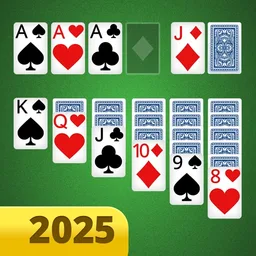
Classic Solitaire - Card Games is a classic solitaire app from Aged Studio Limited that stands out for its customization: draw-one or draw-three, left- or right-handed layouts, and plenty of backgrounds and card faces. It's free on iPhone and Android, with a 4.7 rating on iOS and 4.6 on Android, but Android players report heavy ads.
iPhone & iPad
- Rating
- ★ 4.7 (77.2K ratings)
- Price
- Free
- Size
- 248.1 MB
- Requires
- iOS 13.0+
- Languages
- 24
- Last updated
- 2026-10-12
- Version
- 2.1.7
Android
- Rating
- ★ 4.6 (190.9K ratings)
- Price
- Free
- Installs
- 50M+
- Ads
- Contains ads
- In-app purchases
- Yes
- Last updated
- 2026-11-09
- Version
- 1.20.9.402
Rating history (2026-11-03 → 2026-11-14): 4.69 → 4.69 → 4.69 → 4.69 → 4.69 → 4.69 → 4.69 → 4.69 → 4.69 → 4.69 → 4.69 → 4.69
Pros
- Choose draw-one or draw-three, so you can play the easy or the tougher version of the game
- Left-hand and right-hand layouts plus many backgrounds and card faces to customize the look
- Hint, unlimited undo and auto-save for incomplete games
- Strong ratings: 4.7 on iPhone from 76,865 ratings and 4.6 on Android from 190,834 ratings
- Free to download, with 24 languages on iPhone and 50M+ installs on Android
Cons
- Android players complain about ads, including several after each hand
- The Android listing contains ads and in-app purchases
- Removing ads on iPhone requires a subscription starting at $2.99 per month
- Some Android reviewers dislike a data-sharing change and a magic wand feature they see as cheating
What players say
Players like
- The familiar, easy-to-learn game that reminds many players of the cards they grew up with
- Relaxing play that some use to wind down, including before sleep
- Backgrounds, card faces and card backs, with some Android reviewers praising recent design updates
- Responsive customer support, mentioned by an Android reviewer who needed help with settings
Common complaints
- Too many ads on Android, including multiple ads after every hand
- A recent update's data sharing and collection, which led one reviewer to uninstall
- A magic wand feature that one player felt undermined the spirit of solitaire
Customization is the standout feature
The strongest reason to install this classic solitaire app is how much you can tune it. Classic Solitaire - Card Games, made by Aged Studio Limited, lets you pick whether one or three cards come off the deck at a time. Draw-one is forgiving and quick, while draw-three brings back the harder game many of us remember from desktop computers. You can also switch between left-hand and right-hand layouts, which is a small touch that matters on a phone.
Looks are flexible too. The app offers multiple backgrounds and card styles, and Android reviewers specifically praise the recent changes to backgrounds, card faces and card backs, along with the fireworks that play after a win. Hint, unlimited undo and auto-save for unfinished games round out the basics, so you can step away mid-hand and pick up later.
How it rates on iPhone and Android
Both stores are positive. On iPhone the app holds a 4.7 rating from 76,865 ratings, and it’s free to download. The iOS version is 248.1 MB, needs iOS 13.0 or later, supports 24 languages and was last updated on October 12, 2026. On Android it sits at 4.6 from 190,834 ratings, with more than 50 million installs, and its latest update landed on September 2, 2026.
That install count puts it among the most widely used solitaire apps on Android. Reviewers describe it as easy to learn, relaxing and hard to put down. Several mention they grew up playing with a physical deck, and one says they use it to wind down at night.
Where it falls short
Ads are the main complaint, and they show up mostly in Android reviews. The Android listing discloses both ads and in-app purchases, and the one-star reviews mention too many ads, including three after every hand. If you play dozens of short games in a row, that adds up quickly.
On iPhone, the way to get rid of ads is an auto-renewing subscription: $2.99 for one month, $7.49 for three months or $21.49 for a year. That’s a recurring cost for a card game, so it makes sense mainly if you play daily. Interestingly, one iPhone reviewer calls the game ad-free and more fun, so experiences may vary.
Two other criticisms are worth knowing. One Android player uninstalled after an update that they felt shared and collected data. Another disliked a magic wand feature and called it cheating. Those are single reviews, not a trend, but they show that purists and privacy-minded players may not feel at home here.
Who should pick an alternative
If constant ads would ruin your sessions, consider a different option from the brief’s list of similar apps, such as Solitaire.com: Classic Cards or the Classic Card Games solitaire app from the same category. Players who want a story-driven or themed experience may prefer Solitaire Grand Harvest, Disney Solitaire or Pyramid Solitaire Saga instead, since this app sticks to the traditional game.
If you want to avoid installing anything, Solitaire can also be played free in the browser on 1990s.games.
Bottom line
For a familiar, customizable game with strong ratings on both stores, Classic Solitaire - Card Games is an easy recommendation, as long as you’re comfortable with ads on Android or willing to pay for the iPhone ad-free subscription. Draw-one and draw-three options, left-handed layout and generous backgrounds make it a comfortable daily solitaire.
Best for: Players who want a familiar, customizable Klondike-style solitaire for relaxed daily sessions and can put up with ads or pay to remove them.
FAQ
Is Classic Solitaire - Card Games free?
Yes. It's free to download on both iPhone and Android. The Android version contains ads and in-app purchases. On iPhone, an ad-removal subscription is offered at $2.99 for one month, $7.49 for three months or $21.49 for a year.
Can I play draw-one or draw-three?
Yes. You can choose whether one or three cards are drawn from the deck at a time, which makes it easy to switch between a gentler and a harder game.
Is this classic solitaire app good on both iPhone and Android?
Both versions are well rated: 4.7 on iPhone from 76,865 ratings and 4.6 on Android from 190,834 ratings. Android reviews mention ads far more often, while one iPhone reviewer called the game ad-free and more fun.
Can I play solitaire without installing an app?
Yes. Solitaire can also be played free in the browser on 1990s.games, which is handy if you want a quick game without ads or a download.
Games like Classic Solitaire - Card Games
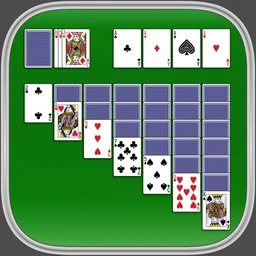
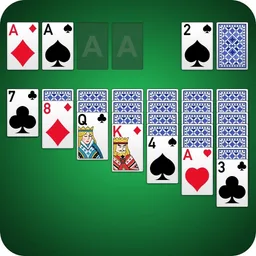
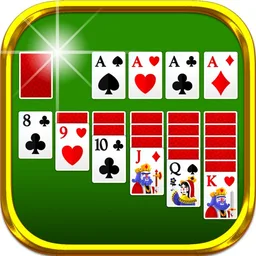
1990s.games is not affiliated with Aged Studio Limited. App names, icons and trademarks belong to their owners; data from the App Store and Google Play, updated weekly. Developer of this app? Email [email protected] to correct or update this page.