Spider Solitaire Fun App Review: Gameplay, Ads and Platform Differences
by WePlay Technologies · Spider Solitaire · iOS, Android
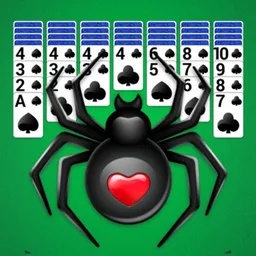
The Spider Solitaire Fun app from WePlay Technologies is a free spider solitaire game for iPhone and Android, rated 4.6 on the App Store and 4.57 on Google Play. It wraps classic spider solitaire in coins, stars and card themes, but recent player reviews point to heavy ads and, on iPhone, freezing. Here is how it plays and who it suits.
iPhone & iPad
- Rating
- ★ 4.6 (2.9K ratings)
- Price
- Free
- Size
- 151.2 MB
- Requires
- iOS 9.0+
- Languages
- 19
- Last updated
- 2025-02-10
- Version
- 1.0.67
Android
- Rating
- ★ 4.6 (62.6K ratings)
- Price
- Free
- Installs
- 5M+
- Ads
- Contains ads
- In-app purchases
- Yes
- Last updated
- 2026-10-29
- Version
- 1.0.82
Rating history (2026-11-03 → 2026-11-14): 4.60 → 4.60 → 4.60 → 4.60 → 4.60 → 4.60 → 4.60 → 4.60 → 4.60 → 4.60 → 4.60 → 4.60
Pros
- Classic spider solitaire with 1-suit, 2-suit and 4-suit modes
- Free on both iPhone and Android, with offline play
- Undo, hints and magic wands to help on tough deals
- Dozens of card faces, backs and backgrounds to unlock
- Large Android audience: 5,000,000+ installs and 62,625 ratings
Cons
- Frequent ads, including pop-ups mid-game that players say cover the board
- Recent iPhone reviews describe freezing and games that won't open after the latest update
- Coins and prizes feel purposeless to some players
- Contains in-app purchases
What players say
Players like
- Relaxing, easy to pick up, and good for killing time
- Fun and addictive, with plenty of features to enjoy
- Plays the way spider solitaire should
Common complaints
- Ads appear often, sometimes in the middle of a timed game
- iPhone players report freezing and a game that won't open after updates
- Unclear what the coins, points and prizes are actually for
How Spider Solitaire Fun plays
Spider Solitaire Fun is built on the classic spider solitaire rules, and it supports 1-suit, 2-suit and 4-suit modes. That range matters: 1-suit is a gentle warm-up, while 4-suit is the version that really tests planning. You can tap a card to move it or drag and drop, and a left-handed mode is included. Undo, hints and magic wands are there when a deal gets stuck, and finished runs are collected automatically.
What sets this spider solitaire fun game apart from a plain deck is the layer around the cards. You earn coins and stars as you play, and stars fill a Star Chest that unlocks card faces, card backs, backgrounds and victory animations. Daily challenges add a reason to come back each day. The app runs offline and offers 19 languages on iPhone.
If you just want to try the rules first, the game can also be played free in the browser on 1990s.games.
What players say
The two stores tell different stories. On Android, the sampled reviews are mostly short and upbeat: players call it fun, relaxing and addictive, and say it is a good way to pass an hour. Several simply say it plays exactly as it should. The praise for spider solitaire fun is about the core game, not any single feature.
On iPhone, the sampled reviews lean negative, and the complaints are specific:
- Freezing. Many players say the app locks up mid-game, forcing a restart and losing the deal.
- Won’t open. A few reviewers say it stopped launching after the latest update.
- Ads. Longtime players say ads now appear in the middle of a game, which hurts when the game is timed.
- Coins. Some players say they never understood what the coins are for. An Android reviewer asks the same about points and prizes.
Ads and in-app purchases
The app is free, but it is ad-supported. The Android listing states that it contains ads and in-app purchases. Players on both platforms bring up ads more than anything else. One Android reviewer says an ad sent them to the Play Store with no way back to the game. iPhone reviewers describe ads that cover the playing area and have to be swiped away, and some say the ads themselves trigger the freezes. If uninterrupted play matters to you, expect to be frustrated. If you can tolerate ads between and sometimes during deals, the game itself holds up.
iPhone vs Android
| iPhone | Android | |
|---|---|---|
| Rating | 4.6 (2,874 ratings) | 4.57 (62,625 ratings) |
| Price | Free | Free |
| Version | 1.0.67 | 1.0.82 |
| Last updated | Feb 10, 2025 | Oct 29, 2026 |
| Size | 151.2 MB | Not listed |
| Installs | Not listed | 5,000,000+ |
Both versions have been out since November 2019 and carry similar star ratings. The difference is in upkeep and recent experience. The Android build was updated today, and its reviews are mostly positive. The iPhone build was last updated in February 2025, requires iOS 9.0 or later, and its recent reviews describe freezing and launch failures. On iPhone, check the latest reviews before installing. On Android, the bigger worry is the ad load.
Who should download it
Choose this app if you like to customize your game with themes and card styles, want daily challenges, and play mostly on Android. Skip it if you hate ads or you are on iPhone and want a trouble-free experience. For a cleaner alternative, compare other titles in our spider solitaire category.
Best for: Players who want a relaxing, customizable spider solitaire on Android and can live with frequent ads.
FAQ
Is the Spider Solitaire Fun app free?
Yes. It is free to download on both iPhone and Android. The Android version contains ads and in-app purchases.
Can I play Spider Solitaire Fun offline?
Yes. The listing says you can play offline, so a connection isn't needed for regular games.
Is there a free spider solitaire I can try without installing anything?
Yes. You can play spider solitaire free in your browser on 1990s.games before deciding whether to install an app.
Which version is better, iPhone or Android?
Android looks steadier right now. Its reviews are mostly positive, while recent iPhone reviews mention freezing and launch problems after the latest update.
Games like Spider Solitaire Fun


1990s.games is not affiliated with WePlay Technologies. App names, icons and trademarks belong to their owners; data from the App Store and Google Play, updated weekly. Developer of this app? Email [email protected] to correct or update this page.