Killer Sudoku by Sudoku.com App: Who It Suits and What to Expect
by Easybrain Ltd · Sudoku · iOS, Android
The Killer Sudoku by Sudoku.com app suits sudoku fans who want a cage-sum twist on the classic grid and can live with frequent ads. Killer Sudoku by Sudoku.com from Easybrain Ltd is free on iPhone (4.8 stars from 218,371 ratings) and Android (4.6 stars from 225,615 ratings), though many players say the ads are heavy.
iPhone & iPad
- Rating
- ★ 4.8 (218.5K ratings)
- Price
- Free
- Size
- 237 MB
- Requires
- iOS 15.0+
- Languages
- 17
- Last updated
- 2026-11-05
- Version
- 4.7.0
Android
- Rating
- ★ 4.6 (226.2K ratings)
- Price
- Free
- Installs
- 10M+
- Ads
- Contains ads
- In-app purchases
- Yes
- Last updated
- 2026-10-29
- Version
- 4.9.1
Rating history (2026-11-03 → 2026-11-14): 4.75 → 4.75 → 4.75 → 4.75 → 4.75 → 4.75 → 4.75 → 4.75 → 4.75 → 4.75 → 4.75 → 4.75
Pros
- Very high store ratings: 4.8 on iPhone and 4.6 on Android, each from more than 200,000 ratings
- Free to download on both iPhone and Android
- Players call the puzzles fun and challenging without being exhausting
- Several difficulty levels, with expert mode popular among experienced solvers
- Hints are described as plentiful enough that puzzles don't feel impossibly hard
Cons
- Ads are the top complaint, with many reviewers reporting interruptions in the middle of a puzzle
- Some ads reportedly lack a close button or can't be dismissed
- Some players find the interface clunky and want more customization, such as a cleaner board with no highlighting
- Reviewers mention frequent prompts to rate the app and reminders about events
What players say
Players like
- The cage-sum twist makes classic sudoku feel fresh without hurting your head
- Challenging puzzles at varied difficulty levels, with enough hints to avoid frustration
- Works as a morning warm-up or a break-time game, even offline
Common complaints
- Ads that appear mid-puzzle, sometimes every few moves, and can be long or hard to close
- A clunky interface with few options to turn off extras or clear highlights
- Repeated review and event prompts
Who the Killer Sudoku by Sudoku.com app suits
If you already enjoy sudoku and want something that asks a little more of you, the Killer Sudoku by Sudoku.com app is an easy pick on ratings alone. Easybrain Ltd’s game holds 4.8 stars from 218,371 ratings on iPhone and 4.6 stars from 225,615 ratings on Android, and Android lists more than 10 million installs. Reviewers who stay with it describe puzzles that are fun and challenging without being exhausting.
It is a weaker fit if ads bother you. That is the one complaint that shows up again and again, so read the monetization section below before you commit.
How the gameplay works
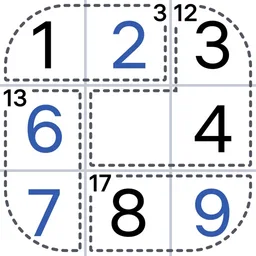
Killer Sudoku keeps the usual sudoku rules: each row, column and 3x3 region holds the numbers once. The twist is the cages, areas marked by dotted lines, each with a target sum in its corner. Numbers can’t repeat inside a cage, so you are mixing sudoku logic with small bits of arithmetic. One Android reviewer put it as sudoku with extra steps, and another said the math makes the puzzle more engaging.
The Android listing names four difficulty levels: easy, medium, hard and expert. That makes it workable for newcomers to the variant and for experienced solvers. One iPhone player only plays expert and mentions that the daily puzzle sometimes lands on a lower difficulty, with a workaround of starting an expert game first. Hints and notes are there when you get stuck, and a player noted there are enough hints to keep puzzles from feeling stupid hard. One reviewer said a puzzle was simply too hard, so expect a real step up from classic sudoku.
There are daily challenges and seasonal events too, though a few reviewers say the event reminders get tiresome. Some also want more control, such as a clean board with no highlighting or a toggle for how notes fill in.
If you want to try the classic version first, the game can also be played free in the browser on 1990s.games.
Ads and in-app purchases
The app is free to download. The Android listing says it contains ads and in-app purchases. The iPhone listing shows a $0 price, and one iPhone reviewer mentions a paid version they own, while another says there is no option to pay to remove ads. Check the in-app options on your own device before buying anything.
Ads dominate the reviews. Players report interruptions in the middle of a puzzle, in some cases every ten moves or so, and one says an ad appeared before they could place nine numbers. Others mention ads after using a retry to recover from a third mistake, or ads that have no visible close button. An Android player described an ad cutting into a timed puzzle, and another said a forced ad sent them to the store and the level restarted. Several people suggest a single ad before or after each puzzle would be far easier to accept.
The pattern suggests ads have grown over time. A long-time iPhone player says it wasn’t so bad in the past. Others still love the puzzles and put up with the ads. If you play in short sessions and can tolerate pauses, it is manageable. If you want long, uninterrupted solving, you may be frustrated.
iPhone vs. Android differences
Both versions are recent. The iPhone build is 4.6.0, updated October 18, 2026, weighs 236.7 MB and needs iOS 15.0 or later, with 17 languages. The Android build is 4.8.0, updated October 16, 2026.
Ratings lean higher on iPhone at 4.8 versus 4.6 on Android, although the Android version has slightly more ratings. Ad complaints appear on both. One reviewer who tried both said that on iPhone they couldn’t tell how long an ad would last, while on Android they could close it after a short time or see its length. That is a single report, not a rule. Still, it suggests the experience may differ a little by platform.
Players who want to compare options can also look at Sudoku.com - Number Games, Meowdoku! and other sudoku apps. For a cage-sum variant with strong ratings and a big player base, this one is the default choice, as long as you can live with the ads.
Best for: Sudoku players who want a harder cage-sum variant and don't mind watching ads between moves.
FAQ
Is Killer Sudoku by Sudoku.com free?
Yes. The iPhone version has a price of $0, and the Android version is free with ads and in-app purchases.
Is Killer Sudoku by Sudoku.com on both iPhone and Android?
Yes. The iPhone version is 4.6.0 (updated October 18, 2026) and the Android version is 4.8.0 (updated October 16, 2026).
Are there a lot of ads in Killer Sudoku by Sudoku.com?
Ads are the most common complaint in player reviews on both platforms. Several reviewers report interruptions mid-puzzle, and some say ads can't be closed.
Can I play sudoku free in my browser instead?
Yes. The game can also be played free in the browser on 1990s.games.
Games like Killer Sudoku by Sudoku.com

1990s.games is not affiliated with Easybrain Ltd. App names, icons and trademarks belong to their owners; data from the App Store and Google Play, updated weekly. Developer of this app? Email [email protected] to correct or update this page.