MultiSudoku: Samurai Sudoku Review
by Conceptis Ltd. · Sudoku · iOS, Android
MultiSudoku is a Samurai-style puzzle app from Conceptis that stacks 2 to 8 overlapping grids into one board, with no ads on iPhone or Android. It holds a 4.8 rating on iOS and 4.7 on Android, but its free puzzle supply is limited, so heavy solvers may run out.
iPhone & iPad
- Rating
- ★ 4.8 (2.4K ratings)
- Price
- Free
- Size
- 10.6 MB
- Requires
- iOS 15.6+
- Languages
- 4
- Last updated
- 2026-10-20
- Version
- 4.1
Android
- Rating
- ★ 4.7 (12.5K ratings)
- Price
- Free
- Installs
- 1M+
- Ads
- No ads listed
- In-app purchases
- Yes
- Last updated
- 2026-10-20
- Version
- 3.9.5
Rating history (2026-11-03 → 2026-11-14): 4.82 → 4.82 → 4.82 → 4.82 → 4.82 → 4.82 → 4.82 → 4.82 → 4.82 → 4.82 → 4.82 → 4.82
Pros
- Six overlapping-grid variations, from 2-Grid up to huge 8-Grid boards
- No ads on either iPhone or Android
- Free to download, with 104 free puzzles and a free weekly bonus puzzle
- Pencilmarks, autofill pencilmarks, unlimited hints and undo/redo
- Clean, distraction-free design that players describe as intuitive
Cons
- Free puzzles run out, and players ask for more regular refills
- Extra puzzle packs are paid in-app purchases
- Some Android players find the easier levels too easy
- Android players note it flags duplicates but not wrong numbers that don't conflict
What players say
Players like
- No ads and no distracting extras, just the puzzles
- Intuitive controls and solid pencilmark tools
- A wide spread of difficulty, from easy to 8-grid monsters
- A free weekly bonus puzzle and fair-priced extra packs
Common complaints
- The free puzzle library runs dry after a while
- Weekly bonus is too small for heavy solvers
- Some wish for more challenge at the easier levels
The standout: overlapping grids done cleanly
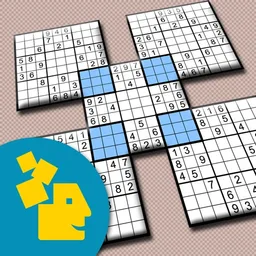
MultiSudoku takes the familiar 9x9 grid and links several of them together, so a number placed in one grid can unlock another. The app packs six variations into one download, and the 2-Grid puzzles are a gentle entry point, while the 8-Grid boards are large, slow-burn challenges. Developer Conceptis Ltd. has kept the design plain on purpose. Reviewers on both stores praise the lack of animations, backgrounds and pop-ups.
The tools help with the bigger boards. Pencilmarks and an autofill pencilmarks mode are included, along with unlimited hints, undo and redo. One iPhone reviewer called it one of the better platforms for noting possibilities, and an Android player thanked the developers for the pencil assistance. If you also like the classic format, the game can be played free in the browser on 1990s.games too.
Ratings and platforms
On iPhone, the app scores 4.8 from 2,369 ratings. Android sits at 4.7 from 12,479 ratings, with over 1,000,000 installs. Both versions were updated on October 20, 2026. The iOS build is a small 10.6 MB download and needs iOS 15.6 or later. It is free on both platforms, and Android lists in-app purchases for the extra packs.
Where it falls short
The biggest complaint is supply. The app ships with 104 free puzzles plus one free bonus each week, and several iPhone and Android players say that isn’t enough once they finish the starters. One reviewer even suggested introducing ads to fund more content, which says a lot about how much they want refills. Others mention they have deleted and re-downloaded the app to replay puzzles.
Difficulty is another mixed point. Some solvers praise the range from easy to very hard, but one Android reviewer found it not difficult enough. Another Android player noted that the app highlights duplicate numbers in a row or box but doesn’t tell you when a number is simply wrong, which can matter if you like instant checking while you play. An iPhone reviewer also disliked how the board zooms after a version 3.9 update.
What the paid packs mean
Because the free set is finite, expect to buy packs if you play daily. Android reviewers describe the prices as modest, comparing them to a magazine, and an iPhone player says the purchase of puzzle packs feels fair because the app isn’t a subscription or ad-supported.
Who should pick an alternative
If you want endless daily puzzles with no purchases, an app such as Sudoku.com - Number Games, with its large library of standard grids, is likely a better fit. Beginners who have never played Sudoku may also prefer a classic 9x9 app like Sudoku - Brain Puzzle Games or Sudoku Puzzle - Brain Games before tackling overlapping boards. And if you want a lighter, cuter flavor, Meowdoku! is a different style entirely.
For everyone else, MultiSudoku is a polished, ad-free way to move beyond standard Sudoku. It suits patient solvers who enjoy a long, quiet puzzle session on iPhone, iPad or an Android phone or tablet, and who don’t mind paying for more content once the free set is done.
Best for: Sudoku fans who already breeze through standard 9x9 grids and want a bigger, ad-free challenge with overlapping boards.
FAQ
Is MultiSudoku free?
Yes. MultiSudoku: Samurai Sudoku is free to download on iPhone and Android, with 104 free puzzles plus a free weekly bonus. Additional puzzle packs are sold as in-app purchases.
Does MultiSudoku have ads?
No. Neither the iPhone nor the Android listing shows ads, and many reviewers single that out as a reason they keep playing.
What is Samurai Sudoku?
It's a Sudoku format where several 9x9 grids overlap and share regions. MultiSudoku offers puzzles with 2, 3, 4, 5 and 8 overlapping grids, so you can start small and work up.
Can I play Sudoku free in a browser instead?
Yes. A free browser version of Sudoku is available on 1990s.games if you want to try the classic format before moving to overlapping grids.
Games like MultiSudoku: Samurai Sudoku


1990s.games is not affiliated with Conceptis Ltd.. App names, icons and trademarks belong to their owners; data from the App Store and Google Play, updated weekly. Developer of this app? Email [email protected] to correct or update this page.