Sudoku ▦ by Tripledot: A Sudoku App Review
by Tripledot Studios · Sudoku · iOS
Sudoku ▦ by Tripledot Studios is a free sudoku app that earns a 4.7 rating on the App Store from more than 104,000 ratings. It suits players who want a clean, classic board and can put up with frequent ads. Recent reviews are split between praise for the puzzles and frustration with ad breaks and freezes.
iPhone & iPad
- Rating
- ★ 4.7 (104.2K ratings)
- Price
- Free
- Size
- 249.3 MB
- Requires
- iOS 15.0+
- Languages
- 15
- Last updated
- 2026-10-22
- Version
- 2.19.02
Rating history (2026-11-03 → 2026-11-14): 4.68 → 4.68 → 4.68 → 4.68 → 4.68 → 4.68 → 4.68 → 4.68 → 4.68 → 4.68 → 4.68 → 4.68
Pros
- Free to download, with a 4.7 App Store rating across 104,197 ratings
- Four difficulty levels, from Easy to Expert
- Pencil notes, duplicate highlighting and an optional three-mistake limit
- Quick, challenging puzzles that fit short sessions
- Actively updated, with version 2.19.02 released on October 22, 2026
Cons
- Players say ads appear after nearly every action, including before and after each puzzle
- Some reviewers report freezes or black screens during ads, and a few say the app won't launch
- No paid ad-free version is available, according to reviewers
- Vibration on a wrong number can't be turned off, and notes for the same digit aren't highlighted
What players say
Players like
- The puzzles are quick but still challenging
- The classic layout with pencil notes and difficulty levels is easy to pick up
- Many reviewers call it one of the better sudoku apps when the ads aren't in the way
Common complaints
- Ads show up between nearly every step, and some can't be closed
- Full-screen ads in the middle of a puzzle break concentration
- Freezes and black screens during ads, plus launch problems for some returning players
- No way to pay to remove ads, and no option to turn off vibration on mistakes
Who this sudoku app suits
Sudoku ▦ is a good fit if you want a familiar, uncluttered board and a choice of four difficulty levels, from Easy to Expert. Casual solvers can grab a quick Easy puzzle, while experienced players can go straight to Expert. It is less suited to anyone who hates ad breaks, because that is the loudest complaint in recent player reviews.
The numbers back up the appeal. The iPhone listing shows a 4.7 rating from 104,197 ratings, and the app has been on the App Store since 2018. Version 2.19.02 arrived on October 22, 2026, so it is still being maintained.
How the gameplay works
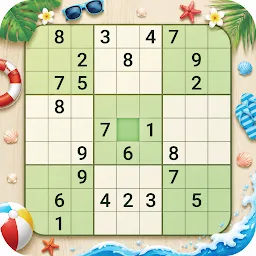
The puzzle layout is the classic nine-by-nine grid. Pencil notes let you mark candidates directly on the board, and duplicate highlighting helps you spot repeated numbers in a row, column or block. You can also limit yourself to three mistakes for a stricter game, or play without that limit.
Players who like it describe the puzzles as quick but challenging, which suits short breaks. Reviewers also name a few gaps. One would like notes of the same digit to be highlighted the way confirmed numbers are. Another wants to pick levels inside Expert. A third dislikes that the vibration on a wrong entry can’t be switched off, since it feels like playing with guardrails.
Ads and monetization
The app is free to download at $0. The catch is advertising. Many reviewers describe ads before a puzzle starts, after one ends, between games and sometimes in the middle of a puzzle. Several say full-screen ads make them lose their place or break their concentration.
Reliability around ads is the other recurring issue. Some players report black screens or freezes when certain ads play, and a few say the app stopped launching after an update. Reviewers also say there is no paid version that removes ads, so the only fix is to choose a different app. If ads are a dealbreaker, the similar apps in this genre may suit you better, such as Sudoku.com - Number Games or Meowdoku!.
Platform differences
The brief includes App Store data only: the app needs iOS 15.0 or later, takes up about 249.3 MB and supports 15 languages. No Android listing details are available here, so we can’t compare the two versions. If you play on Android, check the Google Play listing for its current rating and recent reviews before installing.
The bottom line
Sudoku ▦ delivers a polished, classic sudoku experience with well-liked basics: notes, duplicate highlighting, a mistake limit and four difficulty levels. Its big weakness is the ad load. If you can tolerate frequent interruptions, it remains a strong free pick. If you can’t, try another sudoku app, or play sudoku free in the browser on 1990s.games.
Best for: Players who want a classic, no-frills sudoku app with four difficulty levels and don't mind frequent ad breaks.
FAQ
Is Sudoku ▦ by Tripledot free?
Yes. The iPhone version costs $0 to download. Reviewers say there is no paid ad-free version, so ads are part of the deal.
How well rated is this sudoku app?
It holds a 4.7 rating on the App Store from 104,197 ratings. Many recent written reviews are lower, mostly because of ads.
What difficulty levels does it have?
There are four: Easy, Medium, Hard and Expert. One reviewer would like to choose sub-levels inside Expert, which the app doesn't offer.
Can I play sudoku free in a browser instead?
Yes. Sudoku can also be played free in the browser on 1990s.games, with no download needed.
Games like Sudoku ▦
1990s.games is not affiliated with Tripledot Studios. App names, icons and trademarks belong to their owners; data from the App Store and Google Play, updated weekly. Developer of this app? Email [email protected] to correct or update this page.