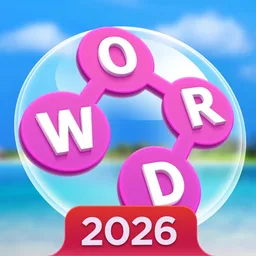
Word Crossy App: Free Word Connect Game Review
by GAME DIVISION LIMITED · Word Games · iOS
Word Crossy is a free word connect puzzler for iPhone that mixes letter swiping with crossword-style boards, and it holds a 4.6 rating across 2,430 ratings. Many players enjoy it as a daily brain warm-up, though frequent ads and a strict dictionary are the most common complaints.
iPhone & iPad
- Rating
- ★ 4.6 (2.4K ratings)
- Price
- Free
- Size
- 416.2 MB
- Requires
- iOS 15.0+
- Languages
- 8
- Last updated
- 2026-03-03
- Version
- 2.2.2
Rating history (2026-11-03 → 2026-11-14): 4.56 → 4.56 → 4.56 → 4.56 → 4.56 → 4.56 → 4.56 → 4.56 → 4.56 → 4.56 → 4.56 → 4.56
Pros
- Free to download, with a 4.6 iPhone rating from 2,430 ratings
- Swipe-to-connect play on crossword-style boards is easy to pick up
- Levels get steadily harder, which keeps the mind engaged
- Works well as a short morning or break-time brain warm-up
- Actively maintained, with version 2.2.2 updated on March 3, 2026
Cons
- Players report a lot of ads, including ones that appear whenever you leave a level
- Some ordinary words are not accepted by the dictionary, costing combo points
- Some reviewers say a purchase to remove ads was not reflected in the game
- Large 416.2 MB download on iPhone
What players say
Players like
- It keeps the mind sharp and gets more challenging as you go
- Playing in the morning helps some players wake up their brain
- Older players mention it is a fun way to stay on the ball
- Simple, enjoyable and free to play
Common complaints
- Too many ads, often long and triggered by leaving a level briefly
- The word list rejects common words and sometimes accepts odd ones, which feels unfair
- Some players struggle to work out how to redeem collected points for a free letter
What stands out about Word Crossy
The Word Crossy game is built around a simple loop: swipe across a ring of letters to form words, and those words fill a crossword-style board. It is the classic word connect formula, and it is easy to pick up in a minute. Developer GAME DIVISION LIMITED first released it in January 2019, and version 2.2.2 was updated on March 3, 2026, so it is still being maintained.
Players who like it describe it as a smart, fun way to keep the mind sharp. One reviewer plays in the morning to wake up their brain, and another says it keeps older players on the ball. Reviewers also say the levels get more challenging over time, which keeps it from feeling like a pushover.
On the numbers, the iPhone version holds a 4.6 rating from 2,430 ratings, and it is free to download. That is a solid score for a genre crowded with near-identical apps. It needs iOS 15.0 or later, supports 8 languages, and takes up 416.2 MB, so check your storage if space is tight.
Where Word Crossy falls short
Ads interrupt play
The most repeated complaint is advertising. Reviewers say an ad break can appear any time you leave a level, even for a second, and that these ads are not short. Several low ratings come down to feeling that there is more time spent watching ads than playing. A few players also say they paid to remove ads and did not see that reflected in the game, so if you plan to buy the ad-free option, keep your receipt handy.
A picky dictionary
The second pain point is the word list. Players report that everyday words go unrecognized and cost them combo points, while some unusual choices are not accepted either. If you have a strong vocabulary, this can feel unfair rather than challenging. Others say it is hard to figure out how to redeem collected points for a free letter, which adds to the frustration.
Reading the Word Crossy online reputation
If you search for Word Crossy online, you will see plenty of five-star reviews with short praise and a handful of angry one-star ones about ads. The split makes sense: people who play casually and accept the ads tend to enjoy it, while those who want uninterrupted, fair-feeling puzzles do not.
Who should pick an alternative
The Word Crossy app suits relaxed players who want a free word connect fix in short bursts. If constant ad breaks would ruin your session, or you care that every valid word is accepted, consider something else in the genre.
- Wordscapes: one reviewer specifically recommends it for harder words, so it may suit players who find Word Crossy too easy or too ad-heavy.
- Word Connect: a straightforward take on the same swipe-to-spell idea.
- Word Cookies!: another letter-swiping puzzler for players who want a change of scenery.
- Zen Word: a good option if you want a calmer, relaxation-focused puzzle.
- 4 Pics 1 Word: a different style of word puzzle if you are tired of letter wheels.
Final take
Word Crossy earns its 4.6 iPhone rating with approachable, steadily harder puzzles and a free price tag. Expect to put up with a lot of ads and an occasionally stubborn dictionary. Casual players who play for a few minutes at a time will likely be happy, while anyone sensitive to interruptions should start with one of the alternatives above.
Best for: Players who want a relaxed, free word connect game for short daily sessions and can tolerate frequent ad breaks.
FAQ
Is the Word Crossy game free?
Yes. Word Crossy is free to download on iPhone (price $0). Reviewers note it is supported by ads, and some mention buying an ad-free option.
Is Word Crossy available on Android?
The brief for this page only includes iPhone data: a 4.6 rating from 2,430 ratings, version 2.2.2, updated March 3, 2026. It requires iOS 15.0 or later and is about 416.2 MB.
Does Word Crossy have too many ads?
Ads are the most common complaint in player reviews. Several people say breaks appear whenever you leave a level, even briefly, and that they can be long.
What are good alternatives to the Word Crossy app?
Similar word games include Wordscapes, Word Connect, Word Cookies!, Zen Word and 4 Pics 1 Word. Wordscapes is the one a reviewer specifically recommended for tougher words.
Games like Word Crossy - Brain Word Game

1990s.games is not affiliated with GAME DIVISION LIMITED. App names, icons and trademarks belong to their owners; data from the App Store and Google Play, updated weekly. Developer of this app? Email [email protected] to correct or update this page.