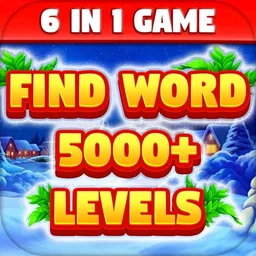
Word Connect 2026 - Word Find: Ratings, Modes and Player Feedback
by Mrudul Babariya · Word Search · iOS
Word Connect 2026 is a free word puzzle app from Mrudul Babariya with a 4.3 rating on iPhone, based on 548 ratings. It was updated on September 8, 2026, but player reviews point to puzzle errors and ads as the main sore spots.
iPhone & iPad
- Rating
- ★ 4.3 (548 ratings)
- Price
- Free
- Size
- 55.4 MB
- Requires
- iOS 15.6+
- Languages
- 1
- Last updated
- 2026-09-08
- Version
- 4.0
Rating history (2026-11-03 → 2026-11-14): 4.25 → 4.25 → 4.25 → 4.25 → 4.25 → 4.25 → 4.25 → 4.25 → 4.25 → 4.25 → 4.25 → 4.25
Pros
- Free to download on iPhone, with no upfront price
- Recently updated: version 4.0 arrived on September 8, 2026
- Several word modes in one app, including Word Connect, crossword-style play, word search and typing
- Compact at 55.4 MB, so it won't take much space
- Some players enjoy it enough to leave five-star reviews
Cons
- Players report puzzles with misspelled answers or letters missing from the wheel, which can block progress
- Ads are a frequent complaint, and one reviewer says the double-coins ad did not pay out
- Some reviewers say coins did not show up or that hints used coins on a letter that was not needed
- English only, with no other languages listed
What players say
Players like
- The variety of modes in a single download
- Fun, relaxing play for those who enjoy it, with a few five-star reviews
- Regular updates, with a fresh version this September
Common complaints
- Misspelled words and letters that are not on the board, which make some levels impossible to finish
- Too many ads, and rewards that don't always arrive
- Answers that feel like made-up words rather than standard English
What the numbers tell you
Word Connect 2026 - Word Find sits at 4.3 stars from 548 ratings on the App Store. That is a solid score, but 548 ratings is a small sample next to the big names in word games, so one buggy batch of levels can move the average. The app first appeared in April 2019 and is still being maintained: version 4.0 landed on September 8, 2026, about seven weeks before this page was written. Active upkeep is a good sign, especially for a free app that weighs just 55.4 MB and needs iOS 15.6 or later.
The brief for this app only includes iPhone data, so we can’t compare it with an Android version. If you play on Android, check the Google Play listing for its own rating and reviews.
How it plays
The core idea is the familiar letter wheel: you connect letters to spell hidden words and fill in a grid. The listing also describes a bundle of other modes, including crossword-style puzzles, word search and a typing challenge, so the app is more of a mini collection than a single game. That variety is its main pitch. If you get bored of one format, there is another a tap away.
Coins are the in-game currency. Players use them for hints, such as revealing a letter, and they can watch ads to earn more. That loop is common in free puzzle apps, and it works as long as the rewards pay out and the levels are solvable.
Where players get stuck
The reviews tell a consistent story, and it is mostly about puzzle quality. Several players describe levels where a required word contains a letter that is not on the wheel, or where an answer is misspelled. One reviewer mentions a Natural Disasters puzzle in which a word had a doubled letter and the level could not be completed. Another says that spending coins to reveal letters only exposed the mistake. When a puzzle can’t be finished, the frustration is understandable.
Other complaints are smaller but real:
- Too many ads, according to at least one player.
- A double-coins ad that did not double the coins.
- Coins that seemed to go missing.
- Answers that some players feel are not real English words.
- No clear instructions for a newcomer.
It is not all negative. A few players give five stars and say they love it, which fits the 4.3 average.
Who it suits
This app fits casual players who like a mix of word formats and don’t mind watching an ad now and then. It is less ideal if you hate being blocked by a broken level, since that is the most repeated complaint. Players who want a cleaner experience may want to compare it with other apps in the Word Search category.
If you’d rather skip the install, the game can also be played free in the browser on 1990s.games.
Verdict
Word Connect 2026 earns a cautious recommendation. The price is right, the update cadence is healthy, and the variety is appealing. But puzzle errors and ad friction show up often enough in reviews that you should treat it as a casual time-filler, not a polished favorite. Try a few levels, and if you hit a level with a letter that isn’t on the board, you will know what the complaints are about.
Best for: Casual word fans who want several puzzle styles in one free app and can tolerate ads and the occasional broken level.
FAQ
Is Word Connect 2026 free?
Yes. The iPhone version of Word Connect 2026 - Word Find costs $0 to download. Reviews mention ads and coins, so expect some monetization inside the app.
How well is Word Connect 2026 rated?
On the App Store it holds 4.3 stars from 548 ratings. That is decent, though the written reviews we reviewed lean more critical, mostly over puzzle errors and ads.
Is Word Connect 2026 still updated?
Yes. The latest version, 4.0, was updated on September 8, 2026. The app first released in April 2019.
Can I play word games free without an app?
Yes. You can also play a free word game in the browser on 1990s.games, with nothing to install.
Games like Word Connect 2026 - Word Find

1990s.games is not affiliated with Mrudul Babariya. App names, icons and trademarks belong to their owners; data from the App Store and Google Play, updated weekly. Developer of this app? Email [email protected] to correct or update this page.