WordBubbles: Swipe-the-Letters Word Search Game
by MAG Interactive · Word Search · iOS
WordBubbles is a free word search game from MAG Interactive where you swipe through letter bubbles to spell hidden words. It holds a 4.4 rating on iPhone across 13,689 ratings, though ads and daily-streak bugs draw steady complaints.
iPhone & iPad
- Rating
- ★ 4.4 (13.7K ratings)
- Price
- Free
- Size
- 113 MB
- Requires
- iOS 15.0+
- Languages
- 1
- Last updated
- 2026-08-20
- Version
- 2.3.7
Rating history (2026-11-03 → 2026-11-14): 4.42 → 4.42 → 4.42 → 4.42 → 4.42 → 4.42 → 4.42 → 4.42 → 4.42 → 4.42 → 4.42 → 4.42
Pros
- Free to download, with a rating of 4.4 on iPhone from 13,689 ratings
- Relaxing swipe-to-spell play that long-time players use as a daily habit
- Difficulty climbs over time, and some players report reaching level 5000
- A daily challenge keeps a short, repeatable routine going
- Last updated August 20, 2026, so it is still being maintained
Cons
- Players report frequent ads, including after every level since a recent update
- Daily streak counters sometimes reset to zero unexpectedly
- Progress can be hard to move to a new device without a backup
- No dark mode, reminders or size options, according to reviewers
What players say
Players like
- Relaxing, brain-sharpening puzzles that fit into a morning routine
- Difficulty that keeps building, even at very high levels
- The daily challenge as a repeatable habit
Common complaints
- Heavy ad load, including ads that open in the browser mid-game
- Streak resets and lost daily progress
- Hint button placement that gets tapped by accident when swiping out
How the WordBubbles game plays
The WordBubbles game takes the familiar word search idea and changes the input. Rather than hunting through a grid and circling words, you drag a finger through connected letter bubbles. You can move across, up, down and diagonally to spell each hidden word.
There is one rule that trips up newcomers: the words have to be solved in the right order. If the letters refuse to connect, the level is not broken. Tap the reset button in the lower left corner and try a different sequence. That small twist turns a simple search into a light logic puzzle, and it is why levels get more interesting as the boards grow.
MAG Interactive first released the app on November 6, 2014, and the iPhone version, currently 2.3.7, was updated on August 20, 2026. It weighs 113 MB and needs iOS 15.0 or later. The iPhone listing shows one language.
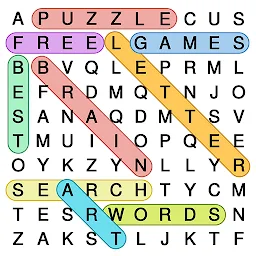
If you want to try a similar style without installing anything, a free word search can also be played in the browser on 1990s.games.
What players say
The 4.4 rating on iPhone, drawn from 13,689 ratings, reflects a game people stick with. Several reviewers say they have played for years, one for more than ten, and describe it as a calm part of their morning. Another reports reaching level 5000 and still enjoying the harder puzzles. A few call it good for keeping the brain sharp.
The complaints are just as consistent. The most common are:
- Daily streaks resetting. Multiple reviewers say the daily counter dropped to zero, in one case after missing a day by only 14 minutes, and in others before the day was technically over.
- Lost progress. One player lost a year of daily results, and others say moving to a new device means starting over without a backup.
- Interface annoyances. The hint button sits where it is easy to hit by accident, and reviewers ask for dark mode, size options and daily reminders.
- A bug after using a hint on the last word, which one player says blocked the next puzzle.
The pattern is clear: the puzzles earn loyalty, while the surrounding systems cause the frustration.
Ads and in-app purchases
The app costs nothing to download, and ads are the main talking point in reviews. One long-time player says ads were manageable for years, then appeared after every level following an update. Another says ads opened in Safari mid-game without being tapped, and a third found the ad content unpleasant. The brief does not list specific in-app purchase prices, so check the store page before assuming what you can buy.
If you play in short sessions, the ad load is easier to live with. If you like long, uninterrupted runs through many levels, it may wear on you.
WordBubbles app on iPhone vs Android
The only store data we have for the WordBubbles app is from the iPhone version: a 4.4 rating, 13,689 ratings, a free price and version 2.3.7. We have no Android figures or reviews to compare, so we can’t say how the two differ in ads, stability or progress saving. Check the Android store listing directly if you play on that platform.
Who should play it
WordBubbles suits people who want a daily, low-pressure word puzzle with a gentle difficulty curve. It is less suited to anyone who hates ads or who cares about keeping a long streak safe. Players who finish the harder levels and want more variety may also look at other word search apps, such as Word Search Explorer® or Crossword Jam: Fun Word Search.
Best for: Players who like a calm, daily word puzzle and don't mind ads between levels.
FAQ
Is the WordBubbles app free?
Yes. The iPhone version costs $0 to download. Reviewers mention ads, so expect them between levels.
How is WordBubbles different from a regular word search?
Instead of circling words in a grid, you swipe across letter bubbles in any direction, including diagonally, to spell hidden words. Words must be solved in the right order, so a stuck level may only need a reset and a new order.
Does WordBubbles have a daily challenge?
Yes. Players describe a daily challenge they finish every day, and the store listing mentions free bonus hints for completing it.
Can I play a word search free in my browser?
Yes. A word search can also be played free in the browser on 1990s.games, with no download needed.
Games like WordBubbles!


1990s.games is not affiliated with MAG Interactive. App names, icons and trademarks belong to their owners; data from the App Store and Google Play, updated weekly. Developer of this app? Email [email protected] to correct or update this page.