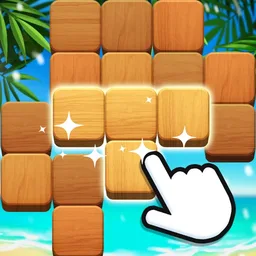
Blockscapes App Review: A Calm Wooden Block Puzzle With an Ad Problem
by PeopleFun, Inc. · Block Puzzle · iOS, Android
The Blockscapes app from PeopleFun is a free wooden block puzzle with no timer and a scenic, relaxing feel. It scores 4.85 on iPhone and 4.64 on Android, but recent reviews on both platforms focus heavily on ads.
iPhone & iPad
- Rating
- ★ 4.8 (28.5K ratings)
- Price
- Free
- Size
- 388.5 MB
- Requires
- iOS 15.0+
- Languages
- 8
- Last updated
- 2026-09-10
- Version
- 1.35.0
Android
- Rating
- ★ 4.6 (84.5K ratings)
- Price
- Free
- Installs
- 5M+
- Ads
- Contains ads
- In-app purchases
- Yes
- Last updated
- 2026-09-11
- Version
- 1.35.0
Rating history (2026-11-03 → 2026-11-14): 4.85 → 4.85 → 4.85 → 4.85 → 4.85 → 4.85 → 4.85 → 4.85 → 4.85 → 4.85 → 4.85 → 4.85
Pros
- Calm wooden look with scenic themes that suits winding down
- No time limit, so you can play at your own pace
- Free to download on iPhone and Android
- Very high store ratings: 4.85 on iPhone and 4.64 on Android
- Offline play is mentioned by Android players
Cons
- Many reviewers say ads interrupt play, sometimes mid-move
- Android players report scam-style and phishing-looking ads
- Some Android players say rotating blocks is tied to payment
- About 388.5 MB on iPhone, which is large for a block puzzle
What players say
Players like
- Relaxing, unwinding feel after a stressful day
- Simple, addictive gameplay with no timer
- Offline play on Android
Common complaints
- Ads popping up during moves and covering the board
- Scam or virus-warning ads on Android
- Slow loading and lost progress reported by a few Android players
What makes the Blockscapes app stand out
The Blockscapes app leans on mood more than speed. You drop wooden pieces onto a board, clear lines, and chase your own best score, with no clock pushing you along. PeopleFun built it around a warm, rustic look and scenic themes, and the reviews back that up: players describe it as relaxing, easy to pick up, and a good way to unwind when you’re frazzled.
The numbers show it has found an audience. On iPhone it holds 4.85 from 28,487 ratings. On Android it sits at 4.64 from 84,490 ratings, with more than 5,000,000 installs. Both versions are at 1.35.0 and were updated in September 2026, so it is still actively maintained. It first launched in late 2019.
Blockscapes game basics
The Blockscapes game is free to download on both stores. The iPhone build needs iOS 15.0 or later, is about 388.5 MB, and offers 8 languages. The Android listing shows ads and in-app purchases. One Android reviewer praised the offline feature, which makes it handy for commutes or flights, though ads may not behave the same way offline.
If you want to try the idea before installing anything, the block puzzle can also be played free in the browser on 1990s.games.
Where Blockscapes falls short
Ads are the loudest complaint, and it is not a minor one. Many iPhone reviewers say they used to enjoy the game for years, then noticed ads appearing in the middle of a move, covering the board and causing misplaced pieces. Several say the frequency has climbed in recent months and that some ads are irrelevant to them. A few say they are close to deleting the app.
Android reviews raise a different worry. Several players report ads that claim the phone has a virus, phishing-style pop-ups, or ads that open a browser window mid-game. One player with a high-end phone also reported frame drops while ads ran. Other Android comments mention slow loading, lost saved data, and a feeling that rotating blocks is mostly behind a payment.
These complaints sit beside very high star averages, so many players clearly enjoy it. But the pattern is consistent enough that you should expect interruptions on the free version.
Blockscapes online and offline play
Searching for Blockscapes online usually means people want to know whether a connection is required. From the brief’s reviews, Android players can play offline. Ads are the part most likely to depend on a connection, so playing offline may reduce interruptions, though that is not confirmed.
Who should pick an alternative
Pick something else if ads that cover the board will ruin your session, or if scam-style pop-ups on Android make you uneasy. Players who want a faster, score-chasing feel may prefer Block Blast!, while fans of the Sudoku-meets-blocks style may like Blockudoku - Block Puzzle Game. Block Puzzle - Brain Test Game is another option in the same genre, and Block Craft 3D: Building Games suits people who want a building theme instead of a calm board.
Stay with Blockscapes if you value the quiet wooden atmosphere, don’t mind paying to reduce ads, or mostly play in short sessions where interruptions are easier to tolerate. For a no-pressure, no-timer puzzle with strong ratings on iPhone and Android, it remains a comfortable choice, as long as you go in knowing about the ad load.
Best for: Players who want a quiet, no-pressure wooden block puzzle and can tolerate frequent ads, or who are willing to pay to remove them.
FAQ
Is the Blockscapes app free?
Yes. Blockscapes is free on both iPhone and Android. The Android version lists ads and in-app purchases, and many players say the ads are the main frustration.
Is Blockscapes online or offline?
Android reviewers mention enjoying the offline feature, so you can play without a connection. Ads, however, may need a connection to appear. You can also try block puzzles free in the browser on 1990s.games.
How well is the Blockscapes game rated?
The iPhone version is rated 4.85 from 28,487 ratings. The Android version is rated 4.64 from 84,490 ratings and has over 5,000,000 installs.
What should I play if the ads bother me?
Try one of the similar block puzzles such as Blockudoku, Block Blast! or Block Puzzle - Brain Test Game. Check each one's ad load before committing.
Games like Blockscapes - Block Puzzle

1990s.games is not affiliated with PeopleFun, Inc.. App names, icons and trademarks belong to their owners; data from the App Store and Google Play, updated weekly. Developer of this app? Email [email protected] to correct or update this page.