My Block App: Review for Block Puzzle Fans
by Addictive Puzzle · Block Puzzle · Android
My block app is a free block puzzle game from Addictive Puzzle, rated 4.7 on Android across 114,707 ratings and installed more than 10 million times. It suits players who want a relaxing, concentration-heavy puzzle to pick up in short sessions, though ads and progress-saving complaints are worth knowing about.
Android
- Rating
- ★ 4.7 (114.7K ratings)
- Price
- Free
- Installs
- 10M+
- Ads
- Contains ads
- In-app purchases
- Yes
- Last updated
- 2025-11-30
- Version
- 2.1.0
Rating history (2026-11-03 → 2026-11-14): 4.70 → 4.70 → 4.70 → 4.70 → 4.70 → 4.70 → 4.70 → 4.70 → 4.70 → 4.70 → 4.70 → 4.70
Pros
- High Android rating of 4.7 from 114,707 ratings
- Free to download with over 10 million installs
- Reviewers call it relaxing, challenging and hard to put down
- Deep level progression, with one player reporting level 2500
- Several reviewers say the ads are not excessive
Cons
- Contains ads and in-app purchases
- Some players report lost progress when switching phones
- A few reviews describe glitchy piece placement and a too-yellow background
- No iPhone data in our brief, so we can't confirm how it runs there
What players say
Players like
- Relaxing but challenging play that demands concentration and remembering where pieces fit
- Long-term staying power, with some players saying they have played for years
- Ads that several reviewers describe as light
Common complaints
- Progress can be lost when moving to a new phone
- Some reports of pieces not dropping where expected, and a glitchy feel
- The yellow background is too dark for at least one player
Who the My Block app suits
The my block app is a good match for players who like a quiet, thinking-first puzzle rather than a frantic one. Reviewers describe it as relaxing, challenging and something that “requires concentration,” and several say it is the game they play most. If you enjoy planning where each piece will go and want a long run of levels, it fits well. If you want a game that syncs perfectly across devices, read the monetization and progress notes below first.
In short: strong ratings, a huge install base and loyal long-term players, balanced by ads and a few technical complaints.
How My Block plays
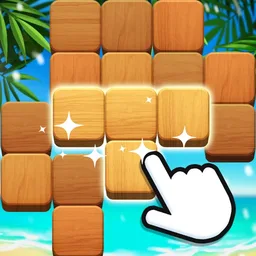
My Block is a block puzzle from Addictive Puzzle, released on Android in June 2019. Players place pieces on a board to complete lines, and the challenge comes from keeping space available for upcoming pieces. One reviewer sums it up as remembering the pieces so there is always somewhere to put the next one.
The level structure has real depth. One player says they have reached level 2500 and is asking when more will arrive, which points to a very long progression. Others say the variety of challenges keeps them interested and that they never get tired of it.
The My Block game does have rough edges. A few reviewers report pieces not landing where they expected, with one saying it became nearly unplayable for them, and another calls it glitchy. A third dislikes the dark yellow background. These are minority views next to the many five-star reviews, but they are consistent enough to mention.
Ads and in-app purchases
My Block is free to download. The Android listing states it contains ads and offers in-app purchases. Reviews are mixed but generally positive here: one player says there are not too many ads, and another describes a choice when you run out of space. You can watch a commercial or spend 100 of your points to get 3 new blocks and keep playing.
That means ads are tied partly to optional continues rather than constant interruption, according to players. Because the listing also confirms in-app purchases, expect some paid options as well. We have no price figures beyond the free download, so we won’t guess at costs.
Progress and platform differences
Our brief includes Android data only: version 2.1.0, last updated November 30, 2025, with a 4.7 rating across 114,707 ratings and more than 10 million installs. We don’t have iPhone store figures, so we can’t compare ratings or performance between iPhone and Android.
One issue matters for long-term players. A reviewer who otherwise likes the game says they lose progress whenever they switch phones and couldn’t find a way to save it. If you plan to play for months, keep that risk in mind before investing heavily.
Trying it before you commit
If you want to see whether the style suits you, you can play a free block puzzle in the browser on 1990s.games. Searching for My Block online will mostly lead you to the mobile listing, so a browser game is the quickest low-commitment test.
Verdict
For relaxed, concentration-based block puzzling with a lot of levels, My Block earns its 4.7 rating. Go in knowing that ads and in-app purchases are part of the deal, and that moving to a new phone may cost you progress.
Best for: Players who enjoy calm, logic-driven block puzzles with long level progression and can tolerate optional ads.
FAQ
Is My Block free to play?
Yes. The Android version costs nothing to download, but it contains ads and in-app purchases.
How popular is the My Block app?
On Android it has more than 10 million installs and a 4.7 rating from 114,707 ratings, which is strong for a block puzzle.
Can I play My Block online or in a browser?
A free browser game is available on 1990s.games if you want to try block puzzle play without installing anything. The My Block app itself is a mobile download.
Will I lose my progress if I change phones?
Some reviewers say they lost progress after switching phones and could not find a way to save it. Treat that as a risk if you play long-term.
Games like My Block

1990s.games is not affiliated with Addictive Puzzle. App names, icons and trademarks belong to their owners; data from the App Store and Google Play, updated weekly. Developer of this app? Email [email protected] to correct or update this page.