
Chickenfoot Dominoes Game Review: Fun Solo Play, Shaky Stability
by Scott Slocum · Dominoes · iOS
This chickenfoot dominoes game suits solo players who want a quick table-style match against three computer opponents on iPhone. It earns a 4.5 rating from 592 people, but a large share of reviews describe freezing, so expect a paid app with real stability risks.
iPhone & iPad
- Rating
- ★ 4.5 (592 ratings)
- Price
- $2.99
- Size
- 22.6 MB
- Requires
- iOS 11.0+
- Languages
- 1
- Last updated
- 2025-02-26
- Version
- 2.3
Rating history (2026-11-03 → 2026-11-14): 4.47 → 4.47 → 4.47 → 4.47 → 4.47 → 4.47 → 4.47 → 4.47 → 4.47 → 4.47 → 4.47 → 4.47
Pros
- Rated 4.5 on the App Store across 592 ratings
- Choice of double-9 or double-12 domino sets
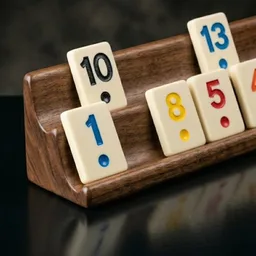
- Dominoes can be shown with pips or numbers
- Players call it fun and say they can play for hours when it runs
- One of the few chickenfoot apps people can find
Cons
- Many reviewers report freezing, crashes or lost dominoes
- Costs $2.99 up front, and some players feel it isn't worth it after bugs
- Computer opponents only, with no live multiplayer
- Last updated February 26, 2025, and some players think support has faded
What players say
Players like
- The game is fun and easy to play for long sessions
- It is one of the only chickenfoot apps available
- Setup options such as pips or numbers and set size are appreciated
Common complaints
- Frequent freezing, often after another player goes out
- Restarting can skip a hand and add points to the score
- Some say the rules differ from traditional chickenfoot and the game sometimes ends a round when a play was possible
- Players wish for live opponents instead of only computer players
Who this chickenfoot dominoes game suits
This is a niche pick for people who already love chickenfoot and want to practice on their own. You sit at the table with three computer opponents, so it works for solo sessions on a commute or a quiet evening. If you want live matches with friends, look elsewhere: reviewers specifically ask for human opponents. If you only want to try the rules first, the game can also be played free in the browser on 1990s.games.
The App Store rating is 4.5 from 592 ratings, which looks strong. The written reviews are more mixed, though, and stability is the main theme. Think of it as a fun game with a real reliability problem.
How it plays
You are the one human player against three computer players. The goal is to play all your dominoes and go out before the others do. Dominoes move by dragging or by double-tapping, and the layout keeps tiles large enough to read on a small screen.
Options worth knowing
- Domino set: double-9 or double-12
- Tile display: pips or numbers
- Opening double: 4 or 6 plays needed to satisfy it
- Sound volume
- Statistics for you and each computer opponent
Those settings are modest but useful, especially the choice between pips and numbers if you find pip counting slow. Players who enjoy the game say they can play for hours. A few feel the same hands repeat, and one complained about drawing the double-zero too often, a luck-versus-fairness question we can’t verify.
Rules and fairness
Some reviewers say the rules don’t match traditional chickenfoot, and one reports a round ending even though a play was still possible. If you play house rules at home, check that this version’s opening-double setting fits how you play before you pay.
Price and monetization
There is a single paid price of $2.99, and that is the whole cost described in our data. We have no ad or in-app purchase details, so we won’t guess. The price matters because several unhappy reviewers say they felt shortchanged after the app froze or closed. A few asked for refunds, so consider that risk honestly: for the same money, a free dominoes app may be a safer test.
Stability and updates
Freezing is the biggest complaint by far. Reviewers describe the app locking up when another player goes out, then needing a force-close. One person says reopening skips ahead a hand and adds a lot of points. Others report the app quitting right after entering a name on first launch. Not everyone is affected: some say they just reset and keep playing because the game is fun.
The current version is 2.3, last updated February 26, 2025. It was first released in February 2017, is about 22.6 MB, and needs iOS 11.0 or later. It is offered in one language. Some players think it is no longer supported, so don’t count on quick fixes.
iPhone vs Android
Our data lists only an iPhone version, so this review is about that one. We can’t compare it with an Android release or say whether the same freezing happens there. Reviewers mention iPhone and iPad use, including a newer iPadOS. If you’re on Android, search your store for chickenfoot dominoes online options and check recent reviews before buying.
Bottom line
Chickenfoot Dominoes is easy to understand and offers helpful options, and fans clearly enjoy the game when it behaves. For $2.99, the freezing reports are hard to ignore. It fits patient solo players who want chickenfoot on iPhone specifically; everyone else should weigh the stability risk first.
Best for: Solo chickenfoot fans who don't mind a paid app and can tolerate occasional restarts.
FAQ
Is Chickenfoot Dominoes free?
No. On the App Store it costs $2.99, and the brief lists no free version. If you want to try the game first, you can also play it free in the browser on 1990s.games.
Can I play chickenfoot dominoes online against other people?
Not in this app as described. You play one human seat against three computer opponents, and a few reviewers say they wish live players were available.
Is it available on Android?
The data we have covers only the iPhone version, so we can't say anything about an Android release here.
Does it run well?
Mixed. The average rating is 4.5, but many recent reviews mention freezing, crashes or hands being skipped after a restart. Last update: February 26, 2025 (version 2.3).
Games like Chickenfoot Dominoes





1990s.games is not affiliated with Scott Slocum. App names, icons and trademarks belong to their owners; data from the App Store and Google Play, updated weekly. Developer of this app? Email [email protected] to correct or update this page.