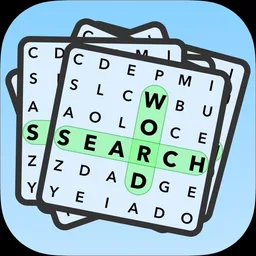
Word Search Classic Ultimate App Review
by Michael Lippold · Word Search · iOS
The Word Search Classic Ultimate app holds a 4.7 rating from 19,769 ratings on the iPhone App Store, and it costs nothing to download. Players mostly praise a calm, ad-free experience with adjustable difficulty and a scrambled-letters bonus puzzle after each grid.
iPhone & iPad
- Rating
- ★ 4.7 (19.8K ratings)
- Price
- Free
- Size
- 23.6 MB
- Requires
- iOS 12.0+
- Languages
- 1
- Last updated
- 2026-03-02
- Version
- 3.0
Rating history (2026-11-03 → 2026-11-14): 4.74 → 4.74 → 4.74 → 4.74 → 4.74 → 4.74 → 4.74 → 4.74 → 4.74 → 4.74 → 4.74 → 4.74
Pros
- Rated 4.7 across 19,769 iPhone ratings
- Free, and reviewers repeatedly say they saw no ads or purchases
- Works offline, according to players
- Puzzle size can be changed, and diagonal and backward words can be switched on or off
- Finishing a grid reveals a bonus word scramble made from the leftover letters
Cons
- Some puzzles hide the listed word in more than one spot, and only the intended spot counts
- Selecting letters can be hard to see while dragging
- Difficulty may feel too mild for experienced solvers
- Only one language is listed
What players say
Players like
- No ads and nothing to buy, mentioned again and again
- Relaxing, peaceful pace that suits a few quick rounds
- The timer and the leftover-letter scramble at the end
- Works without an internet connection
Common complaints
- Duplicate instances of a word that don't count as a find
- Hard to see which letters are being selected
- Some would like harder puzzles, while others find the scramble too tough
The numbers first
The Word Search Classic Ultimate app, made by Michael Lippold, sits at a 4.7 rating (4.74 before rounding) from 19,769 ratings on the iPhone App Store. That is a large sample for a puzzle title, and it suggests the core experience is dependable. The price is $0, and the download is a light 23.6 MB, so it won’t crowd a phone. It needs iOS 12.0 or later.
The app first appeared in August 2019 and the current listing shows version 3.0, last updated on March 2, 2026. A release from earlier this year after several years on the store tells us the app is still maintained rather than abandoned. We have not been given Android data, so this review covers the iPhone version only.
How it plays
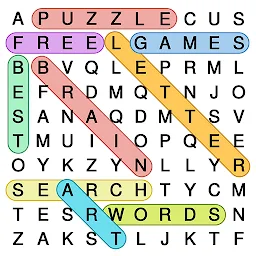
Each round hands you a letter grid and a word list. Words can run across, down, diagonally or backward, and you drag to select them. Two settings shape the challenge: the puzzle size, and whether diagonal and backward words appear. Turning both off makes a gentle grid for kids or anyone winding down. Turning both on, with a bigger grid, is noticeably tougher.
There are more than 100 themes, so topics rotate instead of repeating. A timer shows how long each puzzle took, which some players enjoy as a light personal benchmark. When the list is cleared, the leftover letters scramble and you unscramble them into a final word. Reviewers like this twist, with one calling it a way to keep them on their toes, though another wishes it were easier.
What players say
The most common praise is about what is missing: ads and purchase prompts. Several five-star reviews single it out, and others describe the pace as relaxing and peaceful. One player notes that it works with no internet, and a parent mentions playing along with their child.
The complaints are more specific, and they are worth knowing about. A handful of reviewers say a puzzle may contain the target word twice, yet only the placement the app intended is accepted. Some find that frustrating enough to drop a star or two. Another says it is hard to see which letters they are touching while dragging. Difficulty opinions split: a few want harder grids, while others find the size options give just the right balance.
Who it suits
This is a good fit if you want a calm, traditional word search without interruptions. It suits short sessions, commutes and family play. Experienced solvers who crave brutal puzzles may find it light, though the larger grids with all directions enabled help. If you prefer to try the format before downloading anything, the game can also be played free in the browser on 1990s.games.
Verdict
Word Search Classic Ultimate earns its strong rating through simplicity: free, no ads in reviewer experience, offline, and flexible enough to tune. The duplicate-word quirk is a real annoyance, but it did not stop most players from rating it highly. For iPhone owners who want a relaxing word search, it is an easy recommendation.
Best for: Players who want a quiet, ad-free word search on iPhone for short breaks, with enough size and direction options to adjust the challenge.
FAQ
Is Word Search Classic Ultimate free?
Yes. The iPhone listing shows a price of $0, and reviewers say they ran into no ads and nothing to purchase.
Does Word Search Classic Ultimate work offline?
Players report that it works without an internet connection, which makes it handy for travel or waiting rooms.
Can I make the puzzles harder?
Yes. You can pick different grid sizes and turn diagonal and backward words on or off. Some reviewers still wish the hardest setting went further.
Is there an Android version?
The brief for this page lists only an iPhone listing, so we can't confirm an Android release. Check Google Play directly if you use Android.
Games like Word Search Classic Ultimate


1990s.games is not affiliated with Michael Lippold. App names, icons and trademarks belong to their owners; data from the App Store and Google Play, updated weekly. Developer of this app? Email [email protected] to correct or update this page.