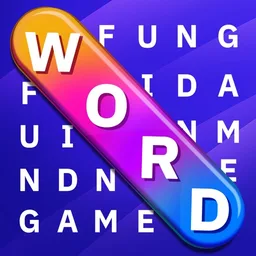
Word Search App Review: Word Search - Word Find Games
by RV AppStudios LLC · Word Search · iOS, Android
Word Search - Word Find Games is a free word search app from RV AppStudios that runs on both iPhone and Android. It holds a 4.7 rating from 12,983 ratings on iPhone and 4.1 from 8,423 on Android, with a swipe-to-highlight style and several game modes. Ads are part of the deal, so it suits casual players who can live with them.
iPhone & iPad
- Rating
- ★ 4.7 (13K ratings)
- Price
- Free
- Size
- 241.9 MB
- Requires
- iOS 15.0+
- Languages
- 14
- Last updated
- 2026-09-26
- Version
- 1.7.0
Android
- Rating
- ★ 4.1 (8.4K ratings)
- Price
- Free
- Installs
- 1M+
- Ads
- Contains ads
- In-app purchases
- Yes
- Last updated
- 2026-09-22
- Version
- 2.0.0
Rating history (2026-11-03 → 2026-11-14): 4.68 → 4.68 → 4.68 → 4.68 → 4.68 → 4.68 → 4.68 → 4.68 → 4.68 → 4.68 → 4.68 → 4.68
Pros
- Strong 4.7 rating on iPhone from nearly 13,000 ratings
- Free to download on both iPhone and Android
- Several modes, including Classic, Casual, Multiplayer and Rush Mode
- Both stores updated in September 2026
- Players call it relaxing yet challenging, and good for keeping the mind sharp
Cons
- Contains ads and in-app purchases
- Some players find it too easy, others too hard with the timer
- Reports of repeated words across puzzles
- Android rating of 4.1 trails iPhone noticeably
What players say
Players like
- Relaxing but still challenging, with themed words and graduated difficulty
- Keeps the brain sharp and helps build vocabulary
- Ads are easy to dismiss in many cases, according to one iPhone reviewer
- Simple swipe controls that are quick to pick up
Common complaints
- Reward-doubling ads that don't seem to add up to the full amount
- Puzzles that repeat the same words, and a pace that is too easy for some and too hard for others
- Android players report being outpaced on the leaderboard-style challenges
How it plays
This word search app keeps the core idea simple: a list of words sits on screen, and you swipe across the grid to highlight each one. From there, RV AppStudios layers on several modes. The iPhone listing names Classic (with or without a timer and adjustable difficulty), Casual (level-based progression with bonuses), Extra (mini-modes such as Mixed Case, Lost Letters and Hidden Words), a real-time one-on-one Multiplayer mode, Up Words and Rush Mode. The Android listing mentions Classic and Arcade, among others.
That variety is the main draw. If you tire of one style, another is a tap away. Players describe the experience as relaxing but still challenging, with themed words and difficulty that climbs gradually. One reviewer says it keeps their brain sharp; another calls it great for building the mind.
It is also a smaller commitment than it sounds. The game is free, and the iPhone build is 241.9 MB, so plan for some storage space. The iPhone version supports 14 languages and needs iOS 15.0 or later.
What players say
Feedback leans positive. Many iPhone reviews are short five-star notes such as “fun” or “love this game,” and several people say they can’t stop playing. A more detailed reviewer appreciates the themed words and says the ads are easy to quiet and can usually be closed early.
The complaints are specific, though. A few players find it too easy and wish for a timer or more challenge, while an Android player says the timer makes it too hard and wants it removed. Because the timer appears in Classic, that may simply reflect different settings and expectations. One iPhone reviewer says puzzles keep repeating the same words. Another wanted to stay on level one for a six-year-old but found the game moves players along on its own.
On Android, one frustrated reviewer says competitive challenges feel unfair when someone far ahead appears out of nowhere. That fits with the Android rating sitting lower than iPhone.
Who it suits
Players who want a casual daily puzzle with extras will probably be happy. Anyone looking for a strictly controlled, kid-paced experience, or a hard test of vocabulary, may want to compare similar apps such as Word Search Explorer®, Word Search Quest Puzzles or Word Search Sea: Offline Games.
Ads and in-app purchases
The app is free, but it is not ad-free. The Android listing states that it contains ads and in-app purchases. On iPhone, one reviewer was pleased that the ads can be muted and often closed early. Another player was annoyed that watching an ad to double a 50-coin reward did not seem to deliver the full 100 coins. If reward ads bother you, expect some friction. If you don’t mind them, the free price is hard to argue with.
iPhone vs Android
Both versions are current. The iPhone build is at version 1.7.0, last updated on September 26, 2026, and the Android build is at 2.0.0, updated September 22, 2026. The app has been around since 2019 on both stores.
The gap is in ratings. iPhone sits at 4.7 across 12,983 ratings, while Android is at 4.1 across 8,423. Android has passed 1,000,000 installs. Modes listed also differ a little between the two store pages, so check which ones appear on your device. If you mostly want a smooth, well-reviewed experience, the iPhone score is the more encouraging one. Android players should expect more mixed feedback.
Play before you install
If you want to try the style first, you can also play a word search game free in the browser on 1990s.games. It is a quick way to see whether swiping through letter grids is your kind of puzzle before downloading anything.
Best for: Casual players who want a free, mode-rich word search app and don't mind watching ads for rewards.
FAQ
Is Word Search - Word Find Games free?
Yes. It costs nothing to download on iPhone or Android. The Android listing says it contains ads and offers in-app purchases.
Is this word search app available on iPhone and Android?
Yes. The iPhone version requires iOS 15.0 or later and is 241.9 MB. The Android version is on Google Play with over 1,000,000 installs.
How well is it rated?
On iPhone it holds 4.7 from 12,983 ratings. On Android it holds 4.1 from 8,423 ratings.
Can I play word search without installing anything?
Yes. You can also play a word search game free in the browser on 1990s.games.
Games like Word Search - Word Find Games



1990s.games is not affiliated with RV AppStudios LLC. App names, icons and trademarks belong to their owners; data from the App Store and Google Play, updated weekly. Developer of this app? Email [email protected] to correct or update this page.