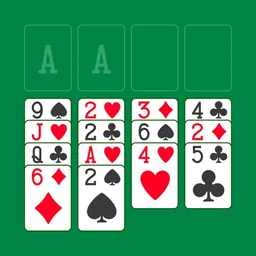
FreeCell Classic Card Game App by Staple Games: Review
by Staple Games · FreeCell · iOS
The FreeCell classic card game app from Staple Games suits solitaire fans who want a clean, no-fuss way to play daily, and it holds a 4.8 rating from 17,261 iPhone ratings. FreeCell (Classic Card Game) is free to download, though ads are the main complaint in recent reviews.
iPhone & iPad
- Rating
- ★ 4.8 (17.3K ratings)
- Price
- Free
- Size
- 78.3 MB
- Requires
- iOS 15.0+
- Languages
- 22
- Last updated
- 2026-10-25
- Version
- 3.04
Rating history (2026-11-03 → 2026-11-14): 4.77 → 4.77 → 4.77 → 4.77 → 4.77 → 4.77 → 4.77 → 4.77 → 4.77 → 4.77 → 4.77 → 4.77
Pros
- Very high 4.8 iPhone rating across 17,261 ratings
- Free to download, with 22 languages supported
- Frequent updates: version 3.04 arrived on October 25, 2026
- Cards are placed by hand, which players say keeps the game engaging and makes them think
- Auto-save, unlimited undo and statistics are included
Cons
- Ads can appear after finishing a game and again before starting a new one, according to several reviews
- Some players find the cards too small
- Replaying a previous deal reportedly stopped working for at least one reviewer
- The brief shows no Android store data, so we can't confirm how it compares there
What players say
Players like
- Placing cards manually instead of relying on automatic moves, which feels more satisfying and challenging
- A simple, easy-to-play version that works well as a daily habit
- Zero or very few ads for some players
- Enough strategy that a hard deal really makes you think
Common complaints
- Ads after winning and before each new game, which drove some players to uninstall
- Cards that look too small
- Replaying earlier games no longer working, according to one review
Who this FreeCell app suits
If you want a calm, minimalist way to play one deal a day, the FreeCell classic card game app from Staple Games is a strong pick. It has a 4.8 rating from 17,261 iPhone ratings, which is high for a free card game. It fits players who enjoy thinking a few moves ahead and who don’t mind an occasional ad break. If you hate interruptions above all else, read the monetization section below first.
How it plays
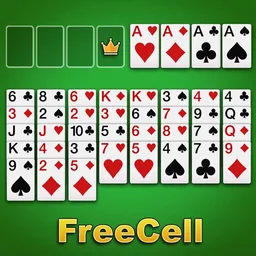
The goal is the standard one: build all four suits up from Ace to King on the foundations. You move cards onto the eight columns in descending order and alternating colors, and the four free cells hold single cards while you untangle a stack. Staple Games adds auto-save, unlimited undo and a statistics screen, so you can step away mid-deal and come back without losing anything. Tapping a card also makes a valid move if one exists, which helps when you get stuck.
Players like that you place cards yourself rather than having the game do it for you. One reviewer called automatic play too easy, and another said a tough deal “really made them think.” Others call it simple and a good daily habit. A couple of reviewers would like larger cards, so the layout may feel tight on smaller screens. One player also wished the app tracked daily wins, and another said replaying earlier games no longer works for them.
Rules refresher
If you’re new to the format, columns build down by alternating colors, foundations build up by suit, and any single card can sit in a free cell. The number of cards you can move at once depends on how many free cells and empty columns you have open, so clearing a column early gives you real room to work.
Ads and pricing
The app is free (price $0), and ads are what pay for it. Review opinion splits here. Some players report no ads at all or very few, and one said a first round had zero ads. Others describe an ad after winning and another before starting a new game, and two one-star reviewers say it got worse over time, with one uninstalling. One four-star reviewer said they would happily pay for an ad-free version. The brief doesn’t list an in-app purchase, so we can’t say whether one exists. Expect some ads and judge for yourself from a few deals.
One other one-star review says promised rewards never arrived, so be cautious about any offer that pays out in return for watching ads.
iPhone and Android
The numbers in this review come from the iPhone listing: version 3.04, last updated October 25, 2026, 78.3 MB, and iOS 15.0 or later, with 22 languages. The app first appeared in April 2020, and the recent update suggests it is still maintained. The brief has no Android store data for it, so we can’t compare ratings or ad behavior across platforms. If you’re on Android, check the Google Play listing for current details before installing.
Try it before you install
Want to test your FreeCell skills first? The game can also be played free in the browser on 1990s.games, so you can learn the rules and see whether the pace suits you. If it does, this app is a tidy, well-liked option. If ads bother you, look at similar titles such as FreeCell Solitaire or FreeCell: Card Game, though we have no data on how their ads compare.
Best for: Solitaire players who want a minimalist daily FreeCell routine on iPhone and can tolerate some ads.
FAQ
Is the FreeCell classic card game app free?
Yes. FreeCell (Classic Card Game) by Staple Games costs nothing to download on the App Store. It does show ads, and some players say they have become more frequent.
How well rated is this FreeCell app?
On iPhone it holds a 4.8 rating from 17,261 ratings. Most written reviews are five stars, while the low scores mostly cite ads or missing rewards.
What do I need to run it on iPhone?
The app needs iOS 15.0 or later and takes up about 78.3 MB. The current version is 3.04, updated on October 25, 2026, with 22 languages available.
Can I play FreeCell without installing an app?
Yes. FreeCell can also be played free in the browser on 1990s.games, which is handy if you want to try the rules before downloading anything.
Games like FreeCell (Classic Card Game)


1990s.games is not affiliated with Staple Games. App names, icons and trademarks belong to their owners; data from the App Store and Google Play, updated weekly. Developer of this app? Email [email protected] to correct or update this page.