FreeCell Solitaire
Every card face up — use four free cells to solve the deal. Free · no download · works on phone & desktop
Move cards to the free cells to unlock columns
About FreeCell Solitaire
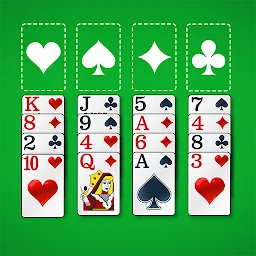
FreeCell is the solitaire where every card is dealt face up, so almost every deal can be solved with careful planning. Move the 52 cards from eight columns to four foundations, building each suit from Ace to King. Four free cells hold one card each and help you unpack long columns. The game numbers are the same as the classic Windows FreeCell, so you can replay famous deals such as #1 or #617.
How to play
- Build the four foundations up by suit, from Ace to King.
- In the columns, stack cards down in alternating colours (red on black, black on red).
- Each free cell holds one card; any card can go into an empty column.
- You can move a run of cards at once if there is enough free space: (empty free cells + 1) × 2 for each empty column.
- Win when all 52 cards are on the foundations.
Tips & strategy
- Free the Aces and Twos first — they are often buried at the bottom of a column.
- Keep free cells empty as long as you can; every filled cell halves how many cards you can move.
- An empty column is worth more than a free cell: it doubles the size of the run you can move.
- Stuck? Undo is unlimited, and the hint button shows a move from a real solution.
FreeCell Game Download: Choosing the Right App for iPhone and Android
A freecell game download is easy to find, but the apps differ a lot in file size, ads and language support. This hub explains how the game works and how to choose one for iPhone or Android.
- Best Classic FreeCell Game FreeCell Download Options for iPhone and Android
- Best free cell card game app picks for iPhone and Android
- Best FreeCell Apps for iPhone and Android






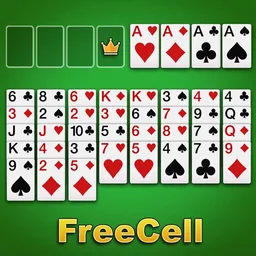
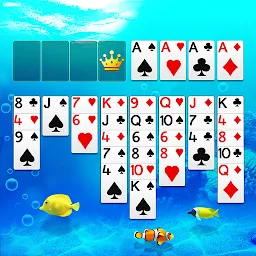
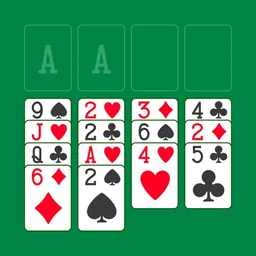

FreeCell Solitaire: Classic.

Freecell Solitaire
FreeCell Solitaire Card Game.
FreeCell Pro - No Wifi
FreeCell Solitaire
Freecell Solitaire Cube
FreeCell·
Free Cell Classic
FreeCell Solitaire
FreeCell Solitaire - Card Game

Classic FreeCell
FreeCell Solitaire

FreeCell Solitaire
Totally FreeCell Solitaire!
Eric's FreeCell Solitaire
Solitaire 3 Arena
FreeCell
Freecell 2026
FreeCell Deluxe® Social
Freecell Solitaire Calm
FreeCellᅠ Solitaire
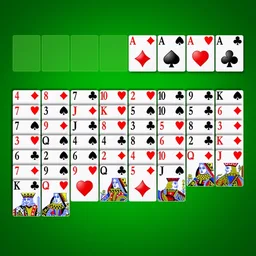
FreeCell Solitaire ~ Card Game
Solitaire: FreeCell Pro
FreeCell Royale Solitaire
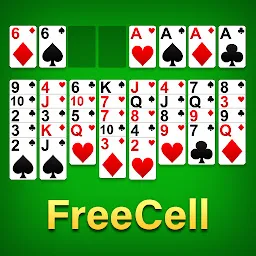
FreeCell Solitaire classic
Solitaire Freecell
A short history of FreeCell
FreeCell is a solitaire game played with a single 52-card deck. All cards are dealt face up into eight columns, and four open “free cells” let you park a card temporarily while you reach the one underneath. Because nothing is hidden, the game rewards planning rather than luck, and that is why it has kept a loyal following among people who find other solitaire games too random.
Many players first met FreeCell on a Windows PC in the 1990s, which is part of why it fits so well on a site about classic games. It has since moved to phones, where a quick game fits into a short break.
Variants you will run into
Most apps stick to the standard rules, but you may see a few twists. Baker’s Game is an older relative where columns build down by suit instead of by alternating color, which makes it noticeably harder. Some apps also offer daily challenges, themes and hints. Check the store page before installing if one of these matters to you, since we only list what the stores confirm.
Where to find a freecell card game download
A search for a freecell card game download turns up dozens of results, and most look alike. The differences show up in size, ads, languages and how recently the developer has updated the app.
Big names with the most ratings
MobilityWare has two entries. FreeCell: Card Game holds 4.75 from 527,572 iPhone ratings, was updated on October 13, 2026, and is a heavy 384.7 MB. FreeCell Solitaire: Card Game+ is its Android-and-iPhone sibling, with 4.61 from 342,146 Android ratings and over 10 million installs. On Android it contains ads and in-app purchases.
Brainium’s ⋆FreeCell scores 4.74 on iPhone from 134,498 ratings and supports 12 languages. PeopleFun’s FreeCell ▻ Solitaire sits at 4.73 and supports 23 languages at 180.3 MB.
Smaller installs and higher scores
If storage matters, the numbers favor a few lighter apps. Staple Games’ FreeCell (Classic Card Game) is 78.3 MB with 4.77 and 22 languages on iPhone. nerByte’s FreeCell Solitaire ∙ Card Game is 66.9 MB with 4.76 and 24 languages. Richard Buckingham’s FreeCell Solitaire Card Game is only 39.9 MB at 4.69.
Vigor Solitaire for Seniors has the highest iPhone score in the list at 4.87 from 45,563 ratings. As the name suggests, it is aimed at older players, and Vita FreeCell for Seniors (4.66 on iPhone, 4.65 on Android) targets the same audience.
How to choose a freecell card game app
Start with your platform. A freecell card game app that looks great on iPhone may not exist on Android, so check the list before you commit. Apps on both stores include FreeCell Solitaire (Classic) from Solitaire Games Free, which has 4.53 on iPhone but 4.73 on Android, and AGED Freecell Solitaire, at 4.52 on iPhone and 4.75 on Android. Scores can differ between stores, so read the rating for your own device.
Next, look at ads and purchases. Every Android app here contains ads. Some, like FreeCell Solitaire from Solitaire Card Games and the Brainium Android version, list no in-app purchases, while others add both ads and purchases. Loop Games’ FreeCell Solitaire is the lowest-rated Android entry at 4.01 despite its 1 million installs, so install counts alone don’t tell you much.
Finally, check freshness. Neworld Games’ Android app was updated on October 29, 2026, and several others on October 24 or 25. Brainium’s iPhone app was last updated on October 9, 2025, so it hasn’t seen a recent release.
Looking for freecell games free download options?
All of the apps above cost nothing up front, so freecell games free download searches mostly come down to what you tolerate in return. A free freecell app with ads is fine for short sessions, but if you play daily, it pays to pick one with a score above 4.7 and a modest file size.
If you want a freecell card game free download without any install, try the browser version on 1990s.games. Once you know you like the game, a dedicated freecell game app on your phone adds convenience for commuting or waiting rooms.
Quick picks by player type
- Most popular on iPhone: FreeCell: Card Game by MobilityWare, with 527,572 ratings.
- Most popular on Android: FreeCell Solitaire: Card Game+, with over 10 million installs.
- Small file size: FreeCell Solitaire Card Game (39.9 MB) or Classic FreeCell (61.1 MB).
- Many languages: Vita FreeCell for Seniors lists 62 languages on iPhone.
- Older players: Vigor Solitaire for Seniors, rated 4.87 on iPhone.
Frequently asked questions
Is every FreeCell game winnable?
Almost. Of the classic Windows deals 1–32000 only #11982 cannot be solved, and among the first million deals only eight are unsolvable. This game never deals those when you press New.
Are these the same deal numbers as Microsoft FreeCell?
Yes. Deal numbers use the same shuffle as the Windows game, so game #1 here is the same deal as game #1 in Windows. Use the “Game #” button to pick a number.
How many cards can I move at once in FreeCell?
(Number of empty free cells + 1) × 2 to the power of the number of empty columns. Moving to an empty column, that column does not count.
Is a FreeCell game download free on iPhone and Android?
Yes. Every app in our FreeCell list is listed at a price of $0 on the App Store or Google Play. Android listings in our data all show ads, and many also offer in-app purchases.
Which FreeCell app is the smallest to install?
On iPhone, FreeCell Solitaire Card Game by Richard Buckingham is listed at 39.9 MB, and Classic FreeCell is at 61.1 MB. Larger apps such as FreeCell: Card Game from MobilityWare reach 384.7 MB.
Can I play FreeCell without installing anything?
Yes. FreeCell can also be played free in the browser on 1990s.games, which is handy if you only want a quick game or have limited storage.
Do these FreeCell apps work on both iPhone and Android?
Some do and some don't. FreeCell Solitaire: Card Game+ and Vita FreeCell for Seniors are on both stores, while others, such as FreeCell: Card Game on iOS or FreeCell Solitaire by Solitaire Card Games on Android, are listed on one platform in our data.
Which FreeCell app has the most player ratings?
FreeCell: Card Game from MobilityWare on iPhone has 527,572 ratings at 4.75. On Android, FreeCell Solitaire: Card Game+ has 342,146 ratings at 4.61 and over 10 million installs.
Languages
More Cards & Tiles games

Go Fish
Ask for ranks, go fish, collect books of four.

Pyramid Solitaire
Pair cards that add up to 13 and clear the pyramid.

Solitaire (Klondike)
The classic card game — build up all four suits.

Spider Solitaire
Build King-to-Ace runs of one suit to clear all eight.

Spades
Bid your tricks with a partner — spades are always trump.

Hearts
Dodge the hearts and the Queen of Spades — lowest score wins.