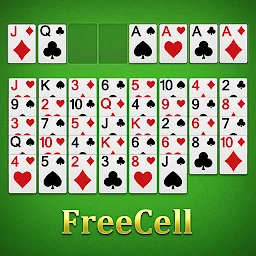
FreeCell Solitaire App Review: Free, Skill-Based and Ad-Supported
by Solitaire Card Games , Inc. · FreeCell · Android
This freecell solitaire app from Solitaire Card Games, Inc. has passed 10 million installs on Android and holds a 4.5 rating from about 85,700 reviews. Every card is visible from the start, so wins come from planning rather than luck. The catch is ad frequency, which is the most common complaint in player reviews.
Android
- Rating
- ★ 4.5 (85.8K ratings)
- Price
- Free
- Installs
- 10M+
- Ads
- Contains ads
- In-app purchases
- No
- Last updated
- 2026-06-17
- Version
- 3.19.1.20260617
Rating history (2026-11-03 → 2026-11-14): 4.48 → 4.48 → 4.48 → 4.48 → 4.48 → 4.48 → 4.48 → 4.48 → 4.48 → 4.48 → 4.48 → 4.48
Pros
- Free to download with no in-app purchases listed
- 4.5 rating across roughly 85,700 Android ratings
- Supermove lets you drag several cards at once
- Undo option and drag-or-tap movement make it easy to handle on a phone
- Customizable backgrounds and cards
Cons
- Players report ads appearing after every game and getting longer over time
- Some reviewers say the in-game helper character gets in the way
- One reviewer reports the app downloading other apps without permission
- A reviewer suspects it uses extra battery even when idle
What players say
Players like
- Relaxing but challenging gameplay that works as a brain teaser
- A competitive feel, with scoring on completed deals
- Simple controls and an overall engaging, entertaining experience
Common complaints
- Ads after each game, with some feeling too long
- The sidekick character interfering with play
- Concern about unwanted app downloads and battery use
What makes this FreeCell stand out
The strongest part of this app is how it handles moving cards. Supermove lets you drag a run of several cards in one motion instead of shuffling them one at a time, and you can either drag or tap to move. Cards also snap into place, and an undo option is there when a plan falls apart. On a phone screen, those small conveniences matter more than flashy extras.
It’s a FreeCell game at heart, so skill drives results. All cards are visible from the first move, which turns each deal into a puzzle about sequencing. Players describe it as relaxing, a brain teaser and competitive, and completed deals earn a score, giving you a reason to replay and improve. You can also change the background and card look to suit your eyes.
Numbers at a glance
The Android listing shows 10 million+ installs and a 4.5 rating (4.48 before rounding) from about 85,700 ratings. It’s free, and the brief lists no in-app purchases. The app first appeared in August 2016 and was last updated on June 17, 2026, so it is still being maintained. Most of the sampled reviews are four or five stars, with short praise like “my favorite” and “engaging.”
Weaknesses to know before installing
Ads are the recurring problem. This freecell solitaire app is supported by advertising, and several reviewers say a break appears after every game. One says ads keep getting longer, to the point that a long one becomes their cue to put the phone down. Another reviewer is annoyed by a sidekick character that gets in the way during play.
There are two more concerns worth weighing. One reviewer claims the app downloads other apps without permission, and another thinks it may drain battery while idle. These are individual reports rather than confirmed findings, but they’re worth watching if you install it. Check your downloads and battery stats after the first few sessions.
Who should pick an alternative
If frequent ad breaks would ruin your sessions, look at other titles in the FreeCell category, such as FreeCell: Card Game, FreeCell Solitaire: Card Game+ or FreeCell Solitaire - Card Game. We don’t have comparable review data for those here, so check their store pages for current ad behavior. Players who want zero interruptions can also try FreeCell free in the browser on 1990s.games, where there’s no app to install.
Players who dislike character overlays or are cautious about permissions and background activity should also compare options before settling in. Everyone else who just wants quick, solvable deals with solid move tools will likely be happy here.
iPhone and Android
The data we have covers the Android version only. iPhone players should check the App Store listing for their own rating, price and ad details before downloading, since they may differ from what Android reviewers report.
Final take
For Android players, this is a well-liked, free FreeCell with practical move tools and a huge install base. Accept the ad load and it delivers what it promises: solvable deals, quick undo and a calm puzzle. If ads are a dealbreaker, an alternative or the browser version is the smarter pick.
Best for: Players who want a free, no-fuss FreeCell with helpful move tools and can tolerate regular ads between deals.
FAQ
Is this FreeCell solitaire app free?
Yes. The Android version costs nothing and the brief lists no in-app purchases, but it does contain ads. Reviewers say those ads can show up after every game.
Do you need luck to win FreeCell?
Mostly no. All cards are dealt face up from the start, so careful planning and good move order decide the outcome. Tools like undo and multi-card dragging help you work through tricky layouts.
How popular and how recent is this app?
It has more than 10 million Android installs and a 4.5 rating from about 85,700 ratings. The most recent update in our data is June 17, 2026, version 3.19.1.20260617, and it first released in August 2016.
Can I play FreeCell without ads?
You can play FreeCell free in your browser on 1990s.games, which is a good option if ad breaks on your phone bother you.
Games like FreeCell Solitaire




1990s.games is not affiliated with Solitaire Card Games , Inc.. App names, icons and trademarks belong to their owners; data from the App Store and Google Play, updated weekly. Developer of this app? Email [email protected] to correct or update this page.