
FreeCell Solitaire Classic App Review
by Solitaire Games Free · FreeCell · iOS, Android
The FreeCell Solitaire classic app from Solitaire Games Free is a free, no-lives take on the card game, rated 4.5 on iPhone and 4.7 on Android. Players praise its clear cards and smooth feel, while ads are the most common complaint. The game can also be played free in the browser on 1990s.games.
iPhone & iPad
- Rating
- ★ 4.5 (24.4K ratings)
- Price
- Free
- Size
- 201.4 MB
- Requires
- iOS 15.0+
- Languages
- 1
- Last updated
- 2026-10-24
- Version
- 7.4
Android
- Rating
- ★ 4.7 (6.6K ratings)
- Price
- Free
- Installs
- 100K+
- Ads
- Contains ads
- In-app purchases
- Yes
- Last updated
- 2026-10-17
- Version
- 7.2
Rating history (2026-11-03 → 2026-11-14): 4.53 → 4.53 → 4.53 → 4.53 → 4.53 → 4.53 → 4.53 → 4.53 → 4.53 → 4.53 → 4.53 → 4.53
Pros
- Free to play with unlimited games and no lives
- Unlimited free undos
- Tap or drag cards to move them
- Clear, easy-to-read cards and smooth visuals
- Saves your progress, best time and total wins
Cons
- Ads show up between games and some players find them too frequent
- Some players report interruptions that switch them to other apps or links
- The iPhone version does not rotate, according to one reviewer
- The auto-finish at the end can remove the challenge for some players
What players say
Players like
- Clean, easy-on-the-eyes visuals and a smooth interface
- A real challenge that makes you think, yet is relaxing enough to play before bed
- Highlighted runs and auto-play options
- Good as a quick time filler, including in waiting rooms
Common complaints
- Ads, including one reviewer who got two in two games and was sent to another link
- The game finishing the last cards automatically, which a few find boring
- No screen rotation on iPhone
How the game plays
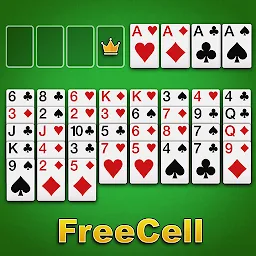
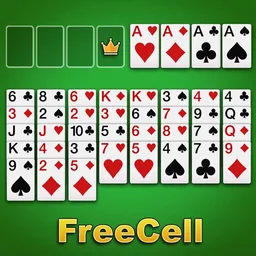
The FreeCell solitaire classic app sticks to the version most people remember: you tap a card or drag it where it needs to go, and the table is laid out so the cards stay easy to read. Unlimited free undos mean a bad move is never permanent, and the app saves your progress, your best time and your total number of wins, so there is always a record to beat. There are no lives, so you can play as many deals as you like.
Players describe it as a genuine puzzle. One Android reviewer says it makes you think a bit, another calls it hard, and a third notes it is not as easy to win as it used to be. An iPhone player says it takes a couple of games to get up to speed. Others find it relaxing enough to play before sleep or to pass time in a hospital waiting room. One long-time FreeCell fan calls it the best little time filler on their phone, and another likes that you can see which moves you need to make rather than leaving everything to chance. Highlighted runs and auto-play options also get a mention.
The game is also playable free in the browser on 1990s.games if you want to try the format before installing anything.
What players say
Most feedback is warm. Android reviews lean on words like fun, smooth, easy on the eyes and addictive, and iPhone reviewers describe a nice visual layout and an interesting challenge. Many reviews are short, but the pattern is consistent: people enjoy the look and the pace.
Common complaints
The criticisms are narrower. Some iPhone players want to be able to move more cards at once, and one says the screen does not rotate. A reviewer who dislikes the auto-finish at the end of a deal says it removes the challenge. Ads are the biggest sticking point, covered below.
Ads and in-app purchases
Android lists the app as containing ads and in-app purchases. On iPhone it is free, with an optional subscription in limited regions that removes ads across the developer’s solitaire, FreeCell and Spider titles.
Reviews on ads are split. One iPhone player praises the lack of ads, while another says ads arrive after games and calls them too many. A third mentions interruptions that switch to something else. On Android, one reviewer got two ads in two games, with one sending them to another link, and uninstalled. If ads in a quiet card game bother you, expect some friction. If you can live with a short break between deals, the gameplay itself gets good marks.
iPhone vs Android
Both versions share the same core game and the same free price. Android has the higher rating at 4.7 from 6,644 ratings and lists more than 100,000 installs; the version is 7.2, updated October 17, 2026. iPhone sits at 4.5 from 24,365 ratings, runs version 7.4 updated October 24, 2026, takes about 201 MB and needs iOS 15.0 or later.
The larger iPhone rating count gives its score a firmer base, while Android’s higher score suggests slightly happier players overall. The iPhone version is the one with the optional ad-free subscription in limited regions, and its reviewers mention the lack of screen rotation. Android reviewers did not raise that point.
Who it suits
Choose this app if you want classic FreeCell with generous undos, simple controls and stat tracking, and you do not mind ads. If you prefer a game that never interrupts, look at the similar FreeCell apps listed on this site, or try the browser version on 1990s.games.
Best for: Players who want a free, familiar FreeCell with undos and a clean layout, and who can tolerate ads between games.
FAQ
Is the FreeCell Solitaire classic app free?
Yes. Both the iPhone and Android versions are free to download, with unlimited games and no lives. Android lists ads and in-app purchases, and the iPhone version has an optional ad-free subscription in limited regions.
Does it have undo?
Yes. The listing promises unlimited free undos, which is handy when you misjudge a long sequence of moves.
Which version is rated higher, iPhone or Android?
Android is rated 4.7 from 6,644 ratings, while iPhone is rated 4.5 from 24,365 ratings.
Can I play FreeCell without installing an app?
Yes. FreeCell can also be played free in the browser on 1990s.games.
Games like FreeCell Solitaire (Classic)


1990s.games is not affiliated with Solitaire Games Free. App names, icons and trademarks belong to their owners; data from the App Store and Google Play, updated weekly. Developer of this app? Email [email protected] to correct or update this page.